
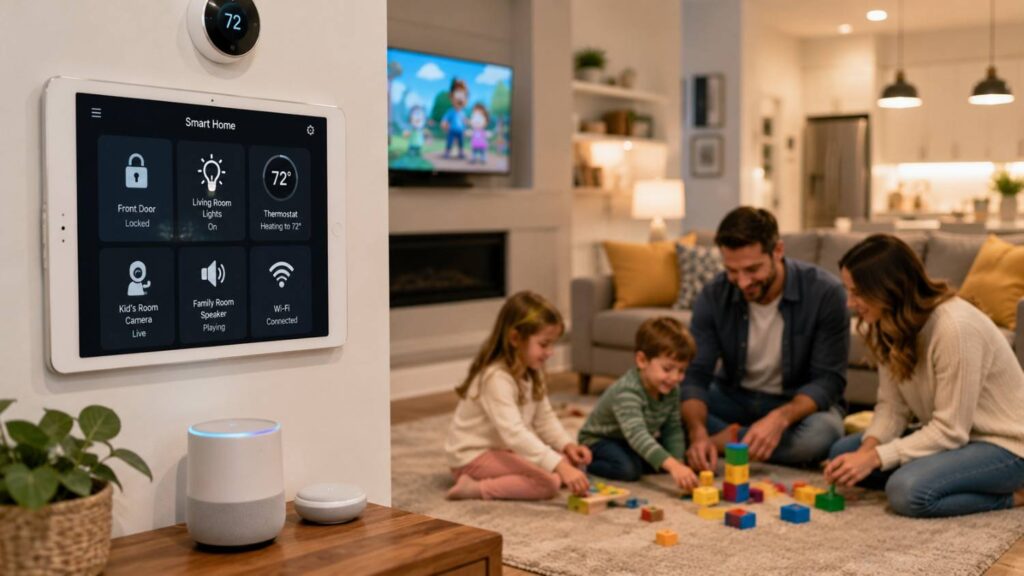
Top Smart Home Hacks for Families with Kids
The top smart home hacks for families with kids are not necessarily the most complex, expensive, or visually impressive. The strongest ideas solve familiar household problems in a quiet and dependable way. They may illuminate a hallway before a child enters it, notify a parent that an important door has remained open, detect water near a washing machine, or reduce the number of devices that must be adjusted manually each night.
A well-planned smart home can also improve consistency. Automated lighting can support morning and bedtime routines, carefully selected sensors can provide awareness of activity in important areas, and voice assistants can deliver controlled reminders. These tools can be particularly helpful in busy households where adults are coordinating work, school, appointments, meals, transportation, and home maintenance.
Technology alone, however, cannot create a child-safe home. Physical safeguards such as cabinet latches, furniture anchors, stair gates, safe window coverings, functioning smoke alarms, secure storage, and clear household rules remain the foundation of safety. Connected devices should strengthen those protections rather than replace them.
Families must also manage the privacy and cybersecurity responsibilities that come with cameras, microphones, locks, sensors, and cloud-connected applications. Each product may collect information about household routines, occupancy, conversations, entrances, or private spaces. Parents should understand who can access that information, how long it is stored, whether it is encrypted, and how long the manufacturer plans to support the device.
The best smart home ideas for families combine convenience with resilience. They work reliably, retain manual controls, limit unnecessary data collection, and remain understandable to the people who use them. When those principles guide every decision, home automation can become a practical family tool rather than an additional source of risk or complexity.
Build a Safety-First Smart Home Foundation
A safety-first smart home begins with the physical environment rather than the mobile application. Before installing sensors, cameras, smart plugs, displays, or voice-controlled devices, examine the home from a child’s height and perspective. Look for reachable cables, unstable furniture, accessible electrical equipment, unsecured cabinets, climbable shelves, dangling cords, small batteries, and devices that could be pulled down.
After these hazards have been addressed, connected technology can add another layer of awareness. A contact sensor may notify an adult that a restricted cabinet was opened. A leak detector may provide early warning near a washing machine or water heater. Automated lighting may reduce the need to walk through a dark hallway. These benefits are real, but the device does not remove the underlying hazard.
A dependable safety system uses several layers. Physical childproofing reduces access to danger. Sensors provide information about an event. Automation supports a response, and family rules explain what adults and children should do. If one layer fails, the others still provide protection.
Families should also consider whether a smart product introduces a new hazard. A camera cable can become reachable. A smart speaker on an unstable shelf may encourage climbing. A visible button may attract repeated use. A voice assistant may allow a child to control devices that should remain restricted.
This section explains how to combine connected awareness with physical safety, emergency planning, secure installation, and manual controls. The goal is not to fill the home with technology. It is to ensure that every device improves safety without creating an equal or greater risk.
Combine Smart Alerts With Physical Childproofing
Smart sensors can provide helpful notifications, but they should never become the main protection against a known household hazard. A contact sensor attached to a medicine cabinet may tell a parent that the door has opened. It does not prevent a child from touching the contents before the notification is noticed or acted upon.
Hazardous products still require appropriate physical protection. Medicines, cleaning chemicals, button batteries, sharp tools, alcohol, and similar items should be stored securely and out of reach. Child-resistant latches or locks should address access directly, while a sensor may provide a secondary warning.
The same principle applies to furniture and televisions. A motion sensor cannot prevent a dresser, bookcase, or media unit from tipping. Heavy furniture should be anchored according to established safety guidance. Smart displays, speakers, and cameras should not add weight to unstable furniture or create visible cables that encourage a child to climb.
Door and window sensors are also awareness tools rather than barriers. Secure locks, age-appropriate rules, window guards where suitable, and adult supervision remain essential.
When planning a child-safe smart home, separate prevention from notification. First ask what physically prevents the hazard. Then ask whether a connected device can provide useful additional information. This distinction helps families avoid assuming that a phone alert provides the same protection as a secure lock, stable installation, safety gate, or supervising adult.
Strengthen Fire and Carbon Monoxide Readiness
Connected smoke and carbon monoxide alarms can add useful features such as mobile notifications, spoken alerts, or communication between compatible units. Their most important purpose, however, remains producing a strong warning inside the home when smoke or dangerous gas is detected.
Families should begin by confirming that alarms are installed in appropriate locations and maintained according to current safety guidance and manufacturer instructions. Smoke alarms are commonly recommended inside sleeping rooms, outside sleeping areas, and on each level of a home. Interconnected units can strengthen protection because an alarm triggered in one area can cause other units to sound.
Testing should become part of the household routine. A recurring calendar or smart-home reminder can help adults remember, but someone must physically confirm that the alarm operates. Batteries and complete units should be replaced according to the manufacturer’s instructions and established safety recommendations.
Connected notifications may be useful when adults are away, but they should not be treated as an emergency-response guarantee. Mobile alerts can be delayed by network problems, app settings, or phone connectivity.
Families also need a practiced escape plan. Children should recognize alarm sounds, know appropriate exits, and understand where the household will meet outside. Technology can improve awareness, but functioning alarms, clear evacuation routes, and practiced emergency behavior remain the most important parts of fire and carbon monoxide readiness.
Place Devices Where Children Cannot Tamper With Them
Smart home equipment should be installed so children cannot easily pull, disconnect, chew, climb toward, or play with it. Hubs, cameras, speakers, sensors, charging equipment, and adapters can become physical hazards when placed within reach or attached insecurely.
Cable management deserves particular attention. A wall-mounted camera may appear safely positioned, yet its cable can still hang within reach. Secure extra length, avoid loops near beds or play areas, and keep adapters away from water. Follow the product’s installation instructions, especially when a device is mounted close to a crib or sleeping space.
Smart plugs also require careful judgment. A remotely controlled plug should not be used with heaters, cooking equipment, medical devices, or other high-load appliances unless the plug and appliance manufacturers explicitly approve that use. Remote activation can create additional risk when a child has access to the connected appliance.
Essential devices should retain manual controls. Lights must remain usable through wall switches. Doors need safe physical entry and emergency exit. Household members should know how to operate important equipment without an app or voice command.
Parents should also consider how a device appears to a child. Flashing lights, exposed buttons, and screens may encourage interaction. Safe placement protects both the equipment and the child. A smart device should never introduce a new electrical, climbing, entanglement, choking, or operational risk into the home.
| Family Need | Useful Smart Feature | Essential Non-Smart Backup |
|---|---|---|
| Safer nighttime movement | Motion-activated lighting | Clear floors and working wall switches |
| Exterior-door awareness | Door-open notifications | Secure locks and active supervision |
| Fire notification | Connected, interconnected alarms | Audible alarms and an escape plan |
| Cabinet awareness | Contact sensor | Proper child-safety latch |
| Water-leak awareness | Leak sensor | Shutoff access and routine inspection |
| Furniture-area awareness | Motion notification | Wall anchors and stable placement |
| Temperature awareness | Smart temperature sensor | Safe heating practices and manual controls |
Automate Daily Family Routines Without Adding Stress
Family home automation should make everyday life calmer, not turn the household into a complicated technical system. The most useful routines are easy to explain, simple to adjust, and limited to actions with a clear benefit. If family members need several applications or unusual voice commands to complete a routine, the automation may be creating more work than it removes.
Begin with predictable transitions such as waking up, leaving for school, returning home, starting homework, preparing dinner, or going to bed. Lighting, temperature, reminders, and noncritical status checks are suitable starting points because they can usually be changed manually when the schedule varies.
Many parents also find it helpful to explore practical smart home features for families before building custom routines, as they provide realistic ideas that prioritize convenience without compromising child safety.
Safety-sensitive actions need greater caution. Automatically dimming lights is different from automatically unlocking an exterior door. A schedule cannot know whether a school closure, unexpected visitor, family emergency, or unusual departure has changed the normal routine. High-risk actions should require confirmation or remain manual.
Involve household members before finalizing a scene. A gradual bedroom light may help one child wake comfortably while disturbing another. A spoken reminder may be useful in a kitchen but disruptive during homework. Adjust brightness, volume, timing, and notifications according to real family feedback.
A useful routine should fade into the background. It runs when expected, remains easy to interrupt, and does not generate unnecessary alerts. When automation is frequently disabled or ignored, simplify it and return to the original problem.
The following hacks show how scenes, sensors, and child controls can support household routines while preserving flexibility and adult oversight.
Create Morning, Homework, and Bedtime Scenes
Scenes allow several compatible devices to respond together to one command, schedule, or condition. In a family home, the most valuable scenes usually support transitions between different parts of the day rather than attempting to control every device continuously.
A morning scene might increase lighting gradually, adjust the temperature, and provide one brief reminder about school bags, lunches, or departure time. Keep spoken messages short. When an assistant repeats several instructions every day, children may begin to ignore all of them.
A homework scene may brighten a study area, reduce entertainment-device volume, and minimize selected notifications. It should not create an environment that feels rigid or punitive. Children and caregivers must still be able to adjust lights and sound manually.
A bedtime scene can dim shared spaces, turn on low-level hallway lighting, lower unnecessary audio, and show the status of selected doors. Avoid sudden changes that could disturb children who are already asleep.
Use clear names such as “School Morning,” “Homework Time,” or “Bedtime Lights.” Test each scene at the actual time it will operate and under different household conditions.
Most importantly, explain how to stop or change the routine. A successful scene supports the family’s habits without making anyone feel controlled by the technology.
| Family Routine | Smart Home Feature | Primary Purpose | Best Practice |
|---|---|---|---|
| Morning Routine | Smart lighting schedule | Gentle wake-up experience | Increase brightness gradually instead of switching lights on instantly |
| After-School Routine | Door sensor notifications | Arrival awareness | Send alerts only to approved adult devices |
| Homework Time | Smart lighting scene | Improve focus | Use consistent lighting without frequent changes |
| Bedtime Routine | Automated night lights | Safer nighttime movement | Keep manual controls available for emergencies |
| Family Reminders | Voice assistant announcements | Daily organization | Keep reminders short and relevant |
| Temperature Control | Smart thermostat automation | Household comfort | Allow manual override whenever needed |
Use Sensors to Provide Focused Awareness
Sensors are most helpful when they are installed in locations where an alert leads to a clear and useful response. Placing sensors on every door, drawer, cabinet, and room may appear comprehensive, but excessive notifications often produce alert fatigue. Once adults begin dismissing routine messages, they may also overlook important warnings.
Prioritize locations such as exterior doors, medicine storage, freezers, laundry areas, basements, garages, or places with a history of water leakage. Each sensor should have an identified owner and response. A leak notification may require immediate inspection, while a freezer-door alert may be useful only after the door has remained open for several minutes.
Where possible, separate urgent warnings from ordinary status information. Smoke, carbon monoxide, water, or security-related alerts should not be buried among routine movement notifications. Adjust alerts according to time, household presence, and the adults who need the information.
Test battery warnings, signal loss, and delayed notifications. A sensor shown as active in an application may still be misaligned, disconnected, or unable to reach the hub.
Focused awareness means receiving the right information at the right moment. It does not mean recording or monitoring every movement inside the home. Families should collect only the information that supports a real decision or action.
Configure Voice Assistants for Children
Voice assistants can help children use timers, listen to music, receive reminders, ask educational questions, or communicate within the household. These benefits require careful permission settings because a child should not automatically inherit the same access as an adult account.
Begin with child profiles, age-appropriate content filters, communication controls, and purchasing restrictions. Review whether children can call contacts, activate third-party services, access explicit media, or place orders. Voice purchasing should be disabled or protected by an additional confirmation method when it is not needed.
Understanding how modern smart home automation systems integrate voice assistants, sensors, and centralized controls can also help parents create a safer and more consistent home environment for children.
Consider which connected devices can be controlled through speech. Bedroom lights may be appropriate, while exterior locks, garage doors, security modes, cooking appliances, or heating equipment should remain restricted. Do not connect every smart device to the voice assistant simply because the option exists.
Place speakers in shared family spaces where possible. Review stored voice activity and connected skills periodically. Disable services that are no longer used or that request unnecessary access.
Children also need an age-appropriate explanation of what the assistant is. It is a software service that may misunderstand questions or provide incomplete information. It is not a trusted adult, emergency responder, teacher, doctor, or private confidant.
Voice access should expand intentionally as children mature. Permissions should reflect age, responsibility, household needs, and the potential consequence of each command.
Related Articles
Protect Your Family’s Privacy and Smart Home Security
Connected devices can reveal more about household life than their individual features suggest. A door sensor may show when family members leave and return. A thermostat may reveal occupancy patterns. A voice assistant may process spoken requests, while a camera can capture images, conversations, visitors, and private routines.
Privacy and cybersecurity should therefore be considered before a product enters the home. Families should investigate what information the device collects, where it is stored, whether it is encrypted, who can access it, and whether the information can be deleted. The manufacturer should also explain how long security updates will be provided.
Account security is only one part of the system. Parents should consider the router, mobile applications, cloud accounts, email addresses, shared passwords, integrations, and every person with household access. A camera protected by a strong password may still be exposed if the associated email account lacks proper security.
Privacy decisions should be proportional to the benefit. A camera may be justified at an exterior entrance, but highly intrusive in a child’s bedroom. A microphone-enabled speaker may be useful in a shared kitchen but unnecessary in a private sleeping area.
Families should also avoid collecting information without a clear reason. More data does not always create more safety. It can create additional storage, access, and breach risks.
The strongest smart home security strategy combines a protected network, unique accounts, updates, restricted permissions, thoughtful device placement, and a plan for replacing unsupported products. These practices allow families to benefit from connected technology without giving unnecessary access to sensitive household information.
Secure the Router, Accounts, and Devices
The router is a central part of smart home cybersecurity because most connected products depend on the home network. Begin by changing default administrator credentials, enabling current Wi-Fi encryption, and installing available firmware updates. Older or unsupported routers may lack modern security features and should be evaluated for replacement.
Every smart home account should use a strong, unique password. Reusing the same password across email, shopping, camera, and home automation services allows one compromised account to place several others at risk. A reputable password manager can help adults create and store unique credentials.
Enable multifactor authentication wherever it is available, especially for cameras, locks, alarm systems, cloud storage, email accounts, and the main home automation platform. This adds another verification step when someone attempts to sign in.
Turn on automatic updates when appropriate, but periodically review devices that require manual firmware installation. Remove unused products from the network and close associated accounts when they are no longer needed.
A separate guest or IoT network may provide an additional layer of separation when supported by the router. It can reduce direct interaction between connected products and personal computers, although it does not replace updates or strong account security.
Maintain a basic device inventory. Record the product, model, owner account, installation date, and support status. This list makes it easier to identify forgotten devices, review permissions, and respond when a manufacturer ends support.
Treat Cameras and Microphones as Sensitive Devices
Cameras and microphones deserve stronger controls because they can capture images, conversations, routines, and private family moments. Before purchasing a device, investigate whether it encrypts account information, livestreams, recordings, and communications between the device, application, and cloud service.
Placement should be limited to locations where the benefit is clear. Exterior entrances and shared access areas may justify monitoring. Bedrooms, bathrooms, and changing spaces should generally be avoided unless a specific caregiving or medical need makes monitoring necessary.
Consider audio separately from video. A family may need visual monitoring without storing conversations. Disable microphones, continuous recording, facial recognition, or cloud storage when those features do not serve the intended purpose.
Restrict access to the smallest practical number of people. Use separate accounts instead of sharing one master login when the platform supports them. Remove access promptly when a caregiver, contractor, tenant, former partner, or household member no longer needs it.
Children should receive an age-appropriate explanation when cameras are present. They deserve to understand why the device exists, which adults can view it, and whether it records continuously.
Review the need regularly. A camera installed for infant care may no longer be appropriate as the child grows. The household should be able to explain the purpose of every camera, the information it stores, and when it will be removed.
Check Update Support Before Buying
A smart device may continue to function physically after the manufacturer stops providing security updates. When support ends, newly discovered vulnerabilities may remain uncorrected, even though the camera, speaker, lock, sensor, or appliance still appears to work normally.
Before purchasing, look for a published support period or end-of-support policy. The manufacturer should explain how long software and security updates are expected, how owners will be notified, and what will happen to cloud services or mobile-app compatibility.
A low purchase price can be misleading if the product must be replaced early because it no longer receives security fixes. Long-term value includes security support, replacement parts, app maintenance, interoperability, account controls, and the ability to continue operating locally.
Keep a simple household inventory with purchase dates, model numbers, administrator accounts, and expected support periods. Review it periodically and disconnect unsupported products that create unnecessary exposure.
Compatibility standards may make it easier to use products across platforms, but interoperability does not guarantee long-term manufacturer support. Families still need to review the company’s update policy and security history.
Cybersecurity labeling programs may provide additional information when available. These labels should support—not replace—research into encryption, authentication, privacy, update commitments, and product use.
A device should not enter the home simply because it works today. Parents should consider whether it can remain secure, supported, and manageable throughout its expected life.
| Security Area | Recommended Action | Benefit | Maintenance Frequency |
|---|---|---|---|
| Wi-Fi Network | Enable WPA2/WPA3 encryption | Protect connected devices | During router setup and review |
| User Accounts | Use strong unique passwords | Prevent unauthorized access | Review every few months |
| Firmware | Install software updates | Reduce security vulnerabilities | Whenever updates are available |
| Smart Cameras | Limit viewing permissions | Improve household privacy | Review after family or caregiver changes |
| Voice Assistants | Enable child restrictions | Safer device usage | Review after major updates |
| Connected Devices | Remove unused devices | Reduce security risks | Quarterly device audit |
Quick Answer About Top Smart Home Hacks for Families with Kids
The most valuable smart home hacks for families with kids are the ones that reduce daily stress without weakening physical safety, privacy, or parental control. Useful examples include motion-activated hallway lights, water-leak sensors, carefully configured door alerts, connected smoke and carbon monoxide alarms, bedtime lighting scenes, controlled voice-assistant profiles, and reminders for household tasks. These features can improve awareness and make routines more consistent, especially during busy mornings, after-school periods, and nighttime hours.
However, connected technology should remain an additional safety layer rather than the main form of protection. A cabinet sensor cannot replace a secure child-resistant latch. A notification from an exterior door cannot replace a reliable lock or direct supervision. Families should complete essential childproofing before depending on apps, sensors, cloud services, or automated routines.
Privacy and cybersecurity also need to be considered from the beginning. Parents should use unique passwords, enable multifactor authentication, update devices, limit camera and microphone access, and remove users who no longer need permission. Essential household systems should retain manual operation so that lights, locks, alarms, and exits remain usable during internet, power, platform, or app failures.
The best family home automation is simple, predictable, and easy to override. It solves a specific problem, alerts the correct person, and continues to support the household without requiring constant attention or technical troubleshooting.
Start With Safety Rather Than Novelty
The first step in creating a useful smart home is identifying a genuine household need. Many families purchase connected products because the features appear impressive, only to discover that the devices create more notifications, apps, and maintenance tasks than practical value. A successful setup begins with a problem, not a product.
Walk through a normal weekday and identify repeated moments of risk, delay, or frustration. A dark staircase may benefit from low-level motion lighting. A basement with a history of dampness may justify a leak sensor. A freezer that is frequently left open may benefit from a delayed alert. Each device should have a defined purpose and a clear response.
Before buying, ask what the product detects, who receives the information, and what action should follow. Also consider what happens if the battery dies, the internet fails, or the manufacturer discontinues support.
Starting with one carefully chosen device makes the system easier to evaluate. Families can observe false alerts, battery life, app reliability, and how the device affects existing routines. Once that product works predictably, another improvement can be added. This gradual approach creates a safer and more manageable smart home than installing many unfamiliar devices at once.
Use Automation to Support Family Habits
Automation is most effective when it strengthens an existing household habit rather than attempting to create a completely new behavior. Families already follow morning, homework, mealtime, and bedtime routines. Smart home technology can make these transitions easier by adjusting lighting, temperature, reminders, and selected devices in a predictable way.
A bedtime routine may dim living-room lights, turn on a low hallway light, reduce unnecessary notifications, and display the status of selected doors. A morning scene may raise bedroom lighting gradually and provide one brief reminder about school bags or lunch boxes. These automations should remain simple enough for every caregiver to understand.
Avoid routines that control too many unrelated devices. When one automation performs ten different actions, it becomes difficult to adjust when the family’s schedule changes. Smaller scenes are easier to troubleshoot and less likely to create unexpected behavior.
Every automation should also have a clear manual alternative. Family members should still be able to use wall switches, thermostat controls, physical keys, and appliance buttons. Test routines during internet outages, low-battery situations, and unusual schedules. The objective is not to automate every decision. It is to make good family habits easier to follow while ensuring that people remain in control.
Frequently Asked Questions About Top Smart Home Hacks for Families with Kids
Parents often approach smart home technology with two competing goals. They want connected devices to make daily life more convenient, but they do not want automation to introduce new hazards, privacy concerns, or maintenance responsibilities. The most common questions therefore focus on reliability, supervision, account controls, device placement, and internet outages.
One principle connects every answer: smart technology should provide an additional layer of support rather than become the only layer. Sensors may improve awareness, cameras may provide visibility, and routines may make schedules more consistent. Physical childproofing, direct supervision, manual controls, emergency planning, and clear family rules remain essential.
Families should also distinguish convenience from safety. Motion lighting may reduce nighttime difficulty, but it is not an emergency system. A door notification may be helpful, but it is not proof that a child is secure. A voice assistant may provide reminders, but it should not make high-risk household decisions.
The right setup will vary according to the children’s ages, home layout, caregiving requirements, privacy expectations, and the adults’ willingness to maintain the system. A household with an infant has different needs from a family with teenagers. A rented apartment also presents different installation options from a privately owned house.
A small number of well-configured products often creates more value than a large collection of devices that no one regularly updates or reviews. The answers below help families choose technology according to actual needs, practical limitations, and the consequences of failure.
Which Smart Home Device Should a Family Install First?
The best first smart home device is the one that solves the clearest and most frequent household problem. No single product is ideal for every family. One home may benefit most from motion-activated hallway lighting, while another may need leak detection, improved smoke-alarm coverage, or a carefully configured exterior-door sensor.
Begin with a short safety and routine assessment. Identify a recurring problem and determine whether a connected device can improve it. Then confirm that physical protection already exists. Install a secure lock before adding a cabinet sensor. Clear nighttime walkways before automating the lights. Confirm that smoke alarms are correctly placed before focusing on phone notifications.
Choose a product with manual operation, clear update information, and limited permissions. Learn how to change settings, replace batteries, remove user access, and operate it without the internet.
After installation, observe the device for several days or weeks. Does it reduce work? Are notifications useful? Does it create false alerts? Can every caregiver understand it?
This small trial provides valuable information about how the family will manage future devices. A reliable first product creates a strong foundation. A complicated or poorly maintained first installation can discourage the household and create unnecessary safety or privacy concerns.
Are Smart Speakers Safe for Children?
Smart speakers can be used more safely around children when parents configure permissions, review connected services, and establish clear household rules. Default settings should not be assumed to be suitable for every age or family situation.
Use child profiles, explicit-content filters, purchasing restrictions, and communication controls when available. Review whether children can contact people, activate third-party skills, access mature media, or place orders. Purchasing should be disabled or protected by an additional confirmation method when it is not needed.
Restrict access to security-sensitive devices. A child may be allowed to control bedroom lights or start a timer, but exterior locks, garage doors, alarms, heaters, and cooking appliances should not be available through unrestricted voice commands.
Place the speaker in a shared space rather than a highly private area when possible. Review stored voice activity, account permissions, and connected services regularly. Disable features that do not provide a clear benefit.
Children should understand that a smart speaker is software. It may misunderstand speech, provide incomplete answers, or respond inappropriately. It should never replace a trusted adult, emergency service, teacher, doctor, or caregiver.
With appropriate settings and regular review, a smart speaker can support timers, music, reminders, and educational activities without giving children unrestricted access to adult features.
Should I Put a Smart Camera in My Child’s Bedroom?
A bedroom camera should be installed only when a clear caregiving, medical, or safety need justifies the privacy cost. Baby monitoring may be appropriate during a particular developmental stage, but the need should be reconsidered as the child grows.
Choose the least intrusive configuration that meets the purpose. Ask whether video is necessary, whether audio can be disabled, whether continuous recording is required, and whether local storage is preferable to cloud storage. Limit the number of people with access and enable strong account protection.
Camera placement must also be physically safe. Keep power cords away from cribs, beds, play areas, and locations a child can reach. Follow manufacturer installation requirements carefully.
Once children can understand, explain the monitoring in age-appropriate language. Older children may reasonably expect increasing privacy in bedrooms, dressing areas, and personal spaces.
Review access frequently and remove the camera when the original need ends. A device should not remain in a private room simply because it was installed years earlier.
Before using a bedroom camera, the family should be able to answer three questions clearly: What specific need does it address? Who can view the footage? When will the monitoring be reduced or removed? If those answers are uncertain, a less intrusive alternative should be considered.
Can Door Sensors Replace Supervision?
Door sensors cannot replace adult supervision, secure locks, or age-appropriate family rules. A contact sensor only reports that two parts of the device have separated or come together. It does not know who opened the door, why it was opened, or whether anyone is in danger.
Notifications can be delayed or missed because of low batteries, wireless interference, internet failures, cloud-service problems, phone settings, or incorrect installation. A sensor can also become misaligned and provide false information.
Use door sensors as an additional awareness tool. They may be valuable on exterior doors, a garage entrance, medicine storage, or another restricted location. Configure the alert so that it reaches the appropriate caregiver and test it under realistic conditions.
The physical security of the door remains more important. Use suitable locks, maintain safe emergency exits, and teach children clear rules about restricted areas. Avoid a locking arrangement that could prevent quick evacuation.
A notification may help an adult respond sooner, but it should never be interpreted as proof that a child has remained safely in one place. Smart home safety for kids depends on several layers working together: physical barriers, supervision, household rules, and additional technology.
Door sensors are useful because they provide information. They are not a substitute for the human judgment and direct protection required in a family home.
What Happens When the Internet Goes Down?
During an internet outage, some smart home functions may continue locally while others stop. The result depends on the device, hub, communication protocol, application, and whether the automation runs inside the home or through a cloud service.
Remote notifications, cloud video, voice-assistant services, and app control from outside the home are likely to be affected. Local sensors, wall switches, alarms, and hub-based routines may continue, but families should test this behavior rather than assume it.
Essential systems must retain manual operation. Lights should work through wall switches. Doors should open safely through keys or physical controls. Smoke and carbon monoxide alarms should continue to sound independently of internet service.
Conduct a planned outage test. Disconnect the router temporarily and observe which routines continue, which alerts fail, and whether devices clearly indicate the loss of service. Confirm that caregivers know how to operate important equipment manually.
Keep necessary keys, replacement batteries, flashlights, and emergency instructions accessible. A phone application should never be the only way to enter, exit, illuminate, or safely control the home.
The safest smart home is designed with failure in mind. Internet connectivity can improve convenience and awareness, but its loss should not remove essential safety, access, or control.
How Often Should Smart Home Settings Be Reviewed?
A quarterly review is a practical schedule for many households, but settings should also be checked whenever the home, family, or technology changes. Important triggers include a major software update, new router, new caregiver, household move, device replacement, account-security incident, or change in a child’s age and independence.
Review administrator accounts, user access, camera permissions, microphone settings, voice purchasing, notification rules, connected services, and firmware status. Remove devices, users, and integrations that are no longer required.
Test the physical equipment as well as the app. Confirm that sensors respond, alarms sound, batteries remain healthy, and manual switches, locks, and keys still operate. Check whether important alerts reach the correct adults.
Review manufacturer support information. Products that no longer receive necessary security updates should be evaluated for replacement or disconnection, particularly when they include cameras, microphones, locks, routers, or sensitive cloud accounts.
The review is also an opportunity to simplify. Remove automations that are frequently disabled, ignored, or no longer useful. Reduce unnecessary notifications and rename confusing scenes.
A smaller system that is understood and maintained usually provides more safety and convenience than a large collection of neglected devices. Regular reviews help ensure that the smart home continues to match the family’s current routines, privacy expectations, and security needs.
Conclusion
The top smart home hacks for families with kids are valuable because they address ordinary household needs in a controlled and practical way. Motion-activated lights can improve nighttime movement. Door and window sensors can provide useful information. Leak detectors may identify water before serious damage occurs, while carefully configured voice assistants can support timers, reminders, and household routines.
These benefits are meaningful, but connected devices should never be treated as complete safety systems. Physical childproofing, functioning alarms, secure storage, active supervision, emergency planning, and manual controls remain the foundation of a safe family home. Technology should strengthen that foundation rather than replace it.
Privacy and cybersecurity require the same level of planning as installation. Families should secure accounts, update devices, restrict camera and microphone access, review integrations, and understand how long each product will receive security support. A connected feature that exposes private information or becomes unsupported may create more risk than value.
A gradual approach is usually best. Start with one clearly defined need, choose a suitable product, and observe its real behavior. Test false alerts, outages, battery warnings, manual operation, and family reactions before expanding the system.
A well-designed child-safe smart home does not feel crowded with technology. Its devices operate quietly, communicate useful information, and remain easy for adults to control. The strongest setup balances convenience with physical safety, privacy, maintenance, and human judgment.
Families do not need to automate everything. They need a few dependable systems that solve real problems and continue to work safely when conditions change.
Build the Smart Home in Layers
A layered smart home begins with protections that work without software. Secure hazardous cabinets, anchor unstable furniture, manage window-covering cords, maintain safe electrical equipment, install functioning alarms, and create a family emergency plan. These protections reduce the hazard directly and continue working when the internet or cloud service fails.
The next layer is awareness. Contact sensors, leak detectors, connected alarms, and carefully placed motion sensors can notify adults that an event requires attention. These products should be tested and maintained, but they should never be the only protection.
Automation forms another layer. Lighting scenes, temperature adjustments, reminders, and status checks can make household routines more consistent. Keep them limited, understandable, and easy to override.
The final layer is governance. Protect accounts, install updates, review user permissions, remove former users, and replace unsupported products. Explain important controls to caregivers and older children.
Thinking in layers prevents the family from depending too heavily on one product. If an automation fails, physical controls still work. If a notification is delayed, the secure barrier remains.
This approach also makes purchasing decisions easier. A new device should strengthen a specific layer without weakening another. The result is a more resilient, manageable, and genuinely useful family smart home.
Choose a Few Hacks That Your Family Will Maintain
A family does not need dozens of connected products to create a useful smart home. In many cases, a few carefully selected features provide most of the practical value. The key is choosing systems that adults will update, test, and review consistently.
Begin with two or three priorities. These may include nighttime lighting, leak detection, improved alarm awareness, or a simple bedtime scene. Document what each device does, which account controls it, how to operate it manually, and what happens when it fails.
Observe how the household responds. Reduce notifications that are frequently dismissed. Simplify voice commands that cause confusion. Remove cameras or sensors that no longer serve a clear purpose.
Maintenance should remain realistic. A product that requires constant troubleshooting may not suit a busy household, even if it offers advanced features. Reliability and clear controls are often more valuable than a long list of functions.
The most effective family technology becomes part of the background. It performs a useful task, alerts the correct person, and remains quiet when nothing requires attention.
Choosing fewer, better-maintained systems can produce a safer, more private, and more dependable home than attempting to automate every activity. Smart home success is measured by consistent value, not by the number of connected devices installed.