
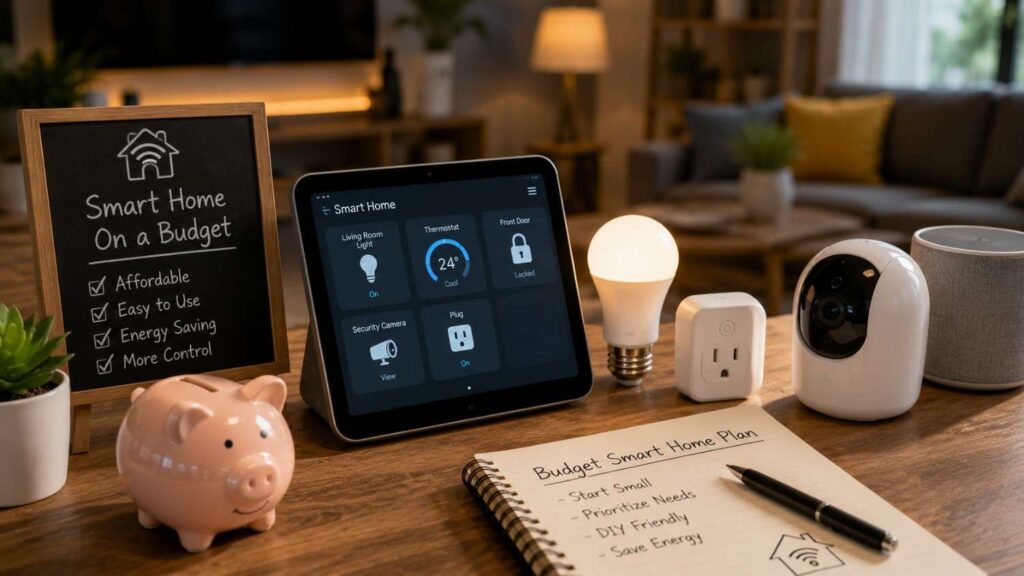
How to Create a Budget-Friendly Smart Home
Learning how to create a budget-friendly smart home is less about buying the cheapest devices and more about choosing a small number of products that work together reliably. A smart home should reduce effort, improve comfort, support accessibility, strengthen awareness, or help manage energy use. It should not create a collection of disconnected applications, abandoned subscriptions, and devices that become unusable whenever the internet fails.
The most practical approach is to begin with one or two everyday problems. You may want lights to switch off automatically, receive an alert when a door remains open, control a bedroom fan from bed, or manage heating and cooling more efficiently. Starting with a defined problem makes it easier to identify the correct device and measure whether the purchase delivers genuine value.
Compatibility deserves equal attention. A low-priced bulb may appear affordable until it requires a separate bridge, another application, or a subscription for the features you expected. Choosing a primary platform and checking official compatibility information before purchasing can prevent unnecessary replacements.
In my experience, plugs, bulbs, and basic sensors are often the best starting points because they are portable, flexible, and relatively easy to install. Higher-cost devices such as switches, thermostats, locks, and cameras can follow after the household understands which ecosystem and automation style work best.
The goal is not to automate every possible action. A successful affordable smart home remains simple, secure, understandable, and easy for every household member to operate.
Plan a Budget-Friendly Smart Home Before Buying
Planning is one of the most effective ways to reduce smart-home costs. Many expensive mistakes occur because buyers purchase individual devices without considering compatibility, wiring, network coverage, ongoing support, or the routines they actually want to create. A short written plan can prevent several unnecessary purchases.
Begin by listing the problems you want to solve rather than the devices you have seen advertised. Note which rooms are involved, who will use the automation, and how often the current task occurs. This helps distinguish a genuinely useful upgrade from a product that may be interesting but rarely used.
Next, select one main smart-home ecosystem. The platform should match the phones, speakers, displays, and services already used by the household. This does not require every product to come from one brand, but it gives you a consistent place for routine management, household access, and voice control.
Check practical requirements before every purchase. A switch may need a neutral wire. A thermostat may require particular HVAC compatibility. A Thread device may need a Border Router. A camera may need a subscription for recorded video.
Planning should also include long-term costs. Batteries, storage plans, replacement accessories, hubs, and cloud services can make a cheap device more expensive over time. A budget-friendly smart home is one that remains affordable throughout its useful life.
Set Priorities and Create a Room-by-Room Budget
Divide possible upgrades into essential, useful, and optional categories. Essential products should solve a recurring problem, support accessibility, improve awareness, or address a meaningful safety concern. Useful products add noticeable convenience. Optional products may be enjoyable but provide limited practical value.
Then create a room-by-room plan. Identify the current problem, the proposed device, any accessories required, and the expected result. This prevents several products from being purchased to solve the same task. For example, a motion sensor combined with an existing smart bulb may remove the need for a separate connected switch.
If you want additional practical ideas for stretching your budget, these budget-friendly smart home tips complement the planning approach outlined above without changing the recommended buying order.
Because prices vary by country, retailer, and time, use budget percentages rather than fixed amounts.
| Recommended Budget Share | Purpose | Examples |
|---|---|---|
| 35%–45% | Core devices | Plugs, bulbs, switches, and sensors |
| 15%–25% | Controllers or network improvements | Hub, compatible speaker, or router upgrade |
| 10%–20% | Safety or energy management | Thermostat, leak sensor, or contact sensor |
| 10%–15% | Installation and accessories | Batteries, adapters, and mounting hardware |
| 10%–15% | Reserve | Replacements, expansion, and compatibility needs |
These ranges are planning suggestions, not universal requirements. Renters may spend more on portable devices, while homeowners may allocate more toward permanent switches, wiring, and climate controls.
Choose One Ecosystem and Check Compatibility
Choose your primary ecosystem according to the devices and services your household already uses. If most household members rely on one type of phone, speaker, or display, selecting a compatible platform can reduce setup time and avoid additional purchases. The goal is to create one main control experience, even when devices come from several manufacturers.
Before purchasing, review the product’s official compatibility page. Confirm whether the device supports your chosen platform and whether all important features remain available through that platform. Some advanced settings may work only in the manufacturer’s application.
Matter can improve interoperability by allowing certified products to work with supported smart-home ecosystems. It also includes multi-admin capabilities that can allow compatible devices to be shared across more than one platform. However, Matter does not guarantee identical features in every application or remove all hardware requirements.
Check whether a Matter controller, Thread Border Router, proprietary bridge, or manufacturer account is required. Some existing speakers, displays, routers, or hubs may already provide these capabilities.
Compatibility research protects the budget. A cheaper device can become an expensive choice if it requires another hub, duplicates an existing service, or cannot participate in the routines you want to build.
Understand Matter, Thread, Wi-Fi, and Bridges
Matter is an application-level smart-home standard rather than a single wireless technology. Compatible Matter devices may communicate over Wi-Fi, Thread, or Ethernet, while Bluetooth Low Energy is commonly used during commissioning and setup. Understanding this distinction helps buyers avoid assuming that every Matter product connects in exactly the same way.
Wi-Fi devices can be convenient because most households already have a router. They are often straightforward to install, but reliability depends on network coverage and router capacity. A large number of Wi-Fi products may make network planning more important.
Thread is a low-power, IP-based mesh networking technology designed for connected devices. Thread-based Matter products need access to a compatible Thread Border Router to communicate with the broader home network and other platforms.
Bridges connect devices using technologies such as Zigbee or Z-Wave to another platform. A compatible Matter bridge may allow some existing products to participate in a Matter-based ecosystem, depending on the manufacturer.
Do not buy networking hardware simply because a protocol sounds more advanced. Check whether your current hub, speaker, display, or router already provides the required capability. The best protocol is the one that supports the device, location, power needs, and routines you actually have.
Start With Low-Cost Devices That Deliver Real Value
The strongest entry-level smart-home products are flexible, easy to install, and capable of solving several different problems. Smart plugs, bulbs, and basic sensors often meet these conditions. They allow beginners to test schedules, remote control, voice commands, and event-based routines without changing major household systems.
Higher-cost products should usually come later. Smart switches, thermostats, locks, cameras, and video doorbells can provide significant value, but they may introduce wiring requirements, professional installation, privacy considerations, or recurring subscriptions. Purchasing them before choosing an ecosystem can create expensive compatibility problems.
Evaluate each product according to its total ownership cost rather than its shelf price. Include required controllers, bridges, batteries, cloud storage, subscription plans, and replacement expectations. Also consider whether the manufacturer provides software updates and clear support information.
A useful buying question is: “What problem will this product solve that my current devices cannot solve efficiently?” If the answer is unclear, the purchase should probably wait.
Budget home automation becomes more affordable when each new device expands an existing routine. A motion sensor that controls a bulb you already own may deliver more value than another independent product with a separate application. Build around connected use cases rather than collecting devices.
Related Articles
Begin With Smart Lighting and Smart Plugs
Smart plugs are among the most flexible entry-level products. They can control suitable lamps, fans, seasonal lighting, and other devices that safely resume operation when electrical power is restored. Before use, check both the plug’s electrical rating and the connected device’s requirements. Do not connect heaters, high-power equipment, or safety-critical appliances unless the manufacturer explicitly supports that application.
Smart bulbs work well in lamps where the physical switch can remain on. They may provide scheduling, dimming, adjustable white tones, and remote control. However, they become unavailable whenever someone switches off the power at the wall.
For permanently installed lights used by several people, a smart switch may create a better long-term experience because it preserves normal wall control. Installation can be more complex, and some switches require a neutral wire or a particular load type. Electrical work should follow local requirements and manufacturer instructions.
Renters should usually begin with removable options. Bulbs, plugs, and battery-powered controls can move to another property and generally require fewer permanent alterations.
The most economical lighting setup is not necessarily the cheapest bulb. It is the arrangement that remains easy to operate manually, works with the chosen platform, and does not need replacement when household routines change.
| Device Category | Best For | Budget Level | Installation Difficulty | Long-Term Value |
|---|---|---|---|---|
| Smart Plugs | Automating lamps, fans, and small appliances | Low | Very Easy | High |
| Smart Light Bulbs | Remote lighting control and scheduling | Low | Very Easy | High |
| Motion Sensors | Automatic lighting and security alerts | Low-Medium | Easy | High |
| Smart Switches | Permanent lighting automation | Medium | Moderate | High |
| Smart Thermostats | Heating and cooling efficiency | Medium-High | Moderate | Very High |
| Video Doorbells | Entry monitoring and visitor notifications | Medium | Easy | Medium |
| Water Leak Sensors | Detecting plumbing leaks early | Low-Medium | Easy | High |
Add Temperature, Safety, and Security Devices Carefully
A smart thermostat may offer value when heating and cooling represent a significant part of household energy use. ENERGY STAR states that certified smart thermostats save approximately 8% of heating and cooling costs, or about $50 annually for an average U.S. household. Actual savings vary according to climate, equipment, occupancy, settings, and energy prices.
Compatibility must be checked before purchase. Many systems require continuous power through a C-wire, although some thermostats and HVAC systems support alternative arrangements or approved adapters.
For safety and awareness, consider contact sensors, motion sensors, water-leak detectors, and temperature sensors before purchasing several cameras. Sensors can be less expensive, consume less bandwidth, and raise fewer privacy concerns while still providing useful alerts.
Cameras and video doorbells may be appropriate for particular entrances or monitoring needs. Compare power requirements, recording options, storage duration, subscription fees, field of view, and account security.
Avoid treating connected consumer devices as replacements for certified smoke, carbon-monoxide, fire, or security systems unless the product is specifically approved for that role. Smart features should supplement appropriate safety equipment rather than create false confidence.
Use a Practical Buying Sequence
A staged buying sequence helps prevent duplicated features and unnecessary ecosystem changes. Begin by confirming that Wi-Fi coverage is reliable in the rooms where devices will operate. If the network is unstable, solve that problem before adding several connected products.
Next, select the primary platform and test one compatible plug, bulb, or sensor. Use the product long enough to evaluate reliability, application quality, household usability, and support. Then create one simple routine that solves a frequent problem.
After the first routine works consistently, add complementary devices. A contact sensor may improve an entry-light routine. A motion sensor may make hallway lighting automatic. A second plug may support a coordinated bedtime routine.
Only then should you evaluate higher-cost upgrades such as thermostats, permanent switches, locks, cameras, and doorbells. These products deserve more careful research because they may involve wiring, installation, subscriptions, and greater security or privacy impact.
Review recurring costs before expanding. Cancel duplicated plans and avoid purchasing cloud storage for devices that do not need continuous recording.
One thing I always check is whether a new device improves an existing routine. A connected product that works with equipment already installed often delivers more value than an isolated device that requires another application and separate maintenance.
For readers comparing different approaches before making additional purchases, this guide to affordable smart home planning offers another practical perspective that aligns with a gradual, compatibility-first strategy.
Install, Automate, and Expand Step by Step
A budget-friendly smart-home installation should remain simple enough to understand and troubleshoot. Add devices gradually, give them clear names, and test basic controls before creating complex routines. If a device cannot operate reliably on its own, adding it to several automations will make problems harder to diagnose.
Installation should follow official manufacturer guidance. Confirm electrical ratings, wiring requirements, mounting instructions, and permitted locations. Battery-powered sensors should be positioned where they can communicate reliably and where batteries remain accessible.
Good automations should be predictable. Household members should understand what triggers each routine, which devices respond, and how to override the result. Begin with schedules and simple sensor actions before introducing multiple conditions.
Keep an inventory of devices, rooms, applications, setup codes, installation dates, and warranties. This record becomes increasingly valuable as the system grows. It can also help when replacing a router, changing platforms, moving home, or transferring access to another household member.
Expansion should follow demonstrated value. A small system that works every day is more useful than a large collection of unreliable products. Each new device should either solve a new problem or improve an existing routine without adding unnecessary complexity.
Step 1 — Strengthen the Network and Organize Devices
Reliable connectivity is the foundation of most affordable smart-home systems. Begin by checking Wi-Fi performance where devices will operate, including entryways, garages, upper floors, and exterior walls. Before purchasing new networking equipment, test whether moving the router to a more central and elevated position improves coverage.
Use clear device names from the beginning. “Living Room Floor Lamp” is more useful than “Plug 2,” especially when several household members use voice commands or routines. Avoid assigning nearly identical names to products in the same room.
Organize devices by room within the chosen platform. This makes control easier and helps prevent routines from affecting the wrong product. Test whether every authorized household member can access essential functions without receiving unnecessary administrative permissions.
Store receipts, manuals, serial numbers, and setup codes securely. Matter products commonly use QR or numeric codes during commissioning, and retaining these details can make future setup or migration easier.
Install one device at a time. Update its firmware, test manual controls, verify application access, and confirm network reliability before moving to the next product. This controlled process helps identify whether a failure comes from the device, router, platform, account, or automation.
Step 2 — Build Useful Automations
Begin with routines that have one clear trigger and one or two predictable actions. Examples include turning an entry light on at sunset, switching selected plugs off at bedtime, or receiving a notification when a door remains open longer than expected.
Sensor-based automation can be more valuable than voice control because it removes the need to issue a command. A hallway light can respond to motion after dark, while a door sensor can trigger an entry light or a reminder. These routines should solve a repeated task without creating confusion.
Add conditions carefully. A motion-triggered light may need a time restriction so it does not operate during daylight. An away routine should account for all residents rather than activating when one person leaves. A fan routine may need a temperature condition and a defined operating period.
Keep manual control available. A person should still be able to operate essential lights, locks, and climate equipment if the application, sensor, internet connection, or cloud service is unavailable.
Document complex routines in plain language. If household members cannot explain when an automation runs, the routine may be too complicated. Reliable low-cost home automation should reduce daily effort rather than require constant troubleshooting.
Step 3 — Expand Without Replacing Working Devices
Expand only after the first devices and routines operate consistently. Look for ways to extend the existing system through sensors, compatible controllers, or bridges before replacing products that still work.
Matter supports bridge-based integration for certain devices using technologies such as Zigbee or Z-Wave, depending on the manufacturer’s implementation. A suitable bridge may allow existing equipment to participate in a newer ecosystem and help protect previous investments.
Before adding another product category, compare the expected benefit with the total cost and management effort. A new camera may involve a subscription and increased privacy obligations, while a contact sensor may provide the required alert without recording video.
Use the device inventory to identify duplicated services. Several hubs, speakers, or applications may provide overlapping functions. Consolidating routines in one main platform can make the system easier to maintain.
Review the smart home every few months. Remove unused routines, rename confusing devices, replace batteries, install updates, and disconnect unsupported products. Check whether subscriptions still provide enough value to justify their cost.
A smaller, maintained system is usually more reliable and affordable than a large collection of devices that receive little attention. Expansion should improve the household experience rather than increase technical maintenance.
| Expansion Stage | Primary Goal | Recommended Devices | Expected Benefit |
|---|---|---|---|
| Stage 1 | Build a reliable foundation | Smart plug, smart bulb | Basic automation and remote control |
| Stage 2 | Improve daily convenience | Motion sensor, door sensor | Hands-free routines and notifications |
| Stage 3 | Increase energy efficiency | Smart thermostat, smart switches | Better energy management |
| Stage 4 | Strengthen home security | Video doorbell, security sensors | Improved home monitoring |
| Stage 5 | Optimize the entire system | Matter-compatible devices, smart hub (if needed) | Better compatibility and easier management |
Secure and Maintain Your Smart Home
Security should be included in the original smart-home plan rather than treated as a later upgrade. Connected products may collect usage information, provide remote control, store recordings, or communicate with online services. A low-priced device is not a good long-term value if it has weak account protection, unclear privacy practices, or limited software support.
The router, wireless network, platform account, device firmware, mobile applications, and cloud services all influence security. Protecting one layer while ignoring the others leaves avoidable weaknesses.
Choose manufacturers that provide clear information about updates, account security, privacy settings, and end-of-life support. Read the privacy policy and product documentation before placing microphones, cameras, locks, or occupancy sensors in sensitive areas.
NIST’s consumer IoT guidance identifies cybersecurity capabilities that connected products and their manufacturers should support. It can serve as a useful reference when comparing devices, especially when a product will have access to sensitive information or important household functions.
Maintenance is also part of security. Unsupported devices, old applications, weak passwords, and forgotten household accounts can create risk long after installation. A budget smart home should remain secure and manageable throughout its useful life, not only on the day it is installed.
Protect the Router, Accounts, and Devices
The Federal Trade Commission recommends beginning with the router because connected household devices generally rely on it. Change default router administration credentials, use appropriate wireless encryption, and install available firmware updates.
Use unique passwords for important smart-home accounts. Reusing one password across several services increases the impact of a breach. A password manager can generate and store strong credentials without requiring household members to remember every password.
Enable two-factor or multi-factor authentication wherever available, especially for platforms controlling cameras, locks, alarms, or remote access. Review recovery email addresses and phone numbers so an attacker cannot use an outdated recovery method.
Change default device credentials and disable unused features. If you do not need remote access, voice purchasing, microphone functions, or external sharing, turn them off. Install device and application updates promptly when they address security issues.
Review the router’s list of connected devices. Remove unfamiliar products and disconnect equipment that is no longer used. A guest or separate IoT network can reduce unnecessary access between smart devices and personal computers when the router supports that configuration.
Security should not depend on one setting. Strong accounts, updated software, controlled permissions, and a maintained network work together to reduce risk.
Control Privacy, Updates, and Recurring Costs
Review privacy settings during installation instead of accepting every default. Disable data collection, personalized advertising, microphone access, location tracking, or cloud storage features that are not required for the intended routine. Grant household members only the permissions they need.
Pay particular attention to cameras, doorbells, speakers, and occupancy sensors. Consider where they are placed, what they record, who can access them, and how long information is retained. Check whether recordings can be stored locally or whether the product depends on a paid cloud plan.
Confirm how the manufacturer communicates software updates and end-of-life decisions. NIST guidance emphasizes product cybersecurity, maintenance, customer communication, and lifecycle support. A device that no longer receives security updates may eventually need to be isolated or replaced.
Record subscription renewal dates and understand what functionality remains without payment. Some cameras and security products lose recording, advanced notifications, or historical access when a plan expires. Compare the multi-year cost rather than focusing only on a discounted device price.
When selling, donating, or discarding a product, remove it from your account and perform a factory reset. Revoke household or guest access and delete associated cloud data where possible.
Privacy, support, and subscriptions are part of the real ownership cost. Managing them carefully keeps the system both affordable and trustworthy.
Quick Answer About How to Create a Budget-Friendly Smart Home
To create an affordable smart home, begin by choosing one main control platform and identifying two or three repetitive tasks you want to simplify. Start with flexible devices such as smart plugs, selected bulbs, or contact and motion sensors. These products can automate lamps, fans, entry lighting, and reminders without requiring extensive installation work.
Check every device for compatibility with your chosen ecosystem, network, wiring, and household routines. Review whether it needs a bridge, controller, Thread Border Router, subscription, or manufacturer account. A product with a slightly higher purchase price may offer better long-term value when it works with your existing equipment and does not require additional services.
Install devices gradually, secure the router and related accounts, and create one simple routine at a time. Keep manual controls available so essential functions still work during an internet, application, or automation failure.
Expand one room or objective at a time. This measured approach makes it easier to control spending, evaluate reliability, and avoid purchasing products that duplicate features or create unnecessary management work.
What Should You Buy First?
Your first purchase should solve a frequent and clearly defined problem. A smart plug can control a lamp, fan, or seasonal decoration on a schedule. A smart bulb can add dimming, remote operation, and adjustable lighting to a lamp. A contact sensor can show whether a door or window is open, while a motion sensor can trigger lighting in a hallway or entry area.
Choose one product category rather than buying a large starter bundle. Bundles may include devices that do not fit your property, platform, or daily routines. Buying one device at a time allows you to evaluate the application, connection reliability, setup process, and household response before investing further.
I recommend starting in a room with a predictable routine. An entryway, living room, or bedroom often works well because the benefits are easy to observe. Test the device for at least several days before purchasing more.
Your first device should also remain useful if your plans change. Portable plugs, bulbs, and battery-powered sensors can often be moved between rooms or taken to another property. That flexibility protects the budget and makes these products particularly suitable for renters and beginners.
How Much of Your Home Should You Automate?
Automate only the tasks that benefit from scheduling, sensing, remote control, or coordination with another device. Not every switch or appliance needs a connected replacement. A frequently used light beside a doorway may already be easy to operate manually, while a lamp across a large room may benefit from remote control or a schedule.
Begin with one room, one routine, or one goal. For example, you might automate evening lighting, improve temperature management, monitor an exterior door, or reduce the amount of time selected devices remain switched on. Keeping the initial scope small makes the system easier to understand and troubleshoot.
Consider the needs of every household member. A routine that is convenient for one person may confuse another person who expects a normal switch to work. Essential lights, locks, and climate controls should retain a clear manual method of operation.
You should also avoid automating unreliable processes too early. If the network has weak coverage or a device disconnects frequently, expanding the system will multiply frustration. A smart home should grow only after the existing products work consistently and the household can identify a clear benefit from the next addition.
Frequently Asked Questions About How to Create a Budget-Friendly Smart Home
People starting a smart home often have similar concerns. They want to know whether a hub is required, which products provide the best first step, whether renters can participate, and how much technical knowledge is necessary. The answers depend on the property, platform, network, and intended automation.
A smart home does not need to begin with an expensive package. In many cases, one plug, bulb, or sensor can provide enough experience to determine whether the household values remote control, scheduling, sensing, or voice operation.
Compatibility should remain the central buying consideration. A product that works with the existing platform and network may offer more value than a cheaper device that requires another bridge or application.
Security and long-term support are also important. Connected products should receive updates, use protected accounts, and provide understandable privacy controls. Recurring subscription costs should be reviewed before purchase.
The following answers address common People Also Ask-style questions in natural language. They are designed to help beginners make practical decisions while also providing enough detail for experienced users planning a larger system.
What Is the Cheapest Way to Start a Smart Home?
The cheapest practical starting point is usually one compatible smart plug or smart bulb. Choose a location where scheduling or remote control solves a frequent problem, such as a lamp that is often left on or a fan that is difficult to reach.
Use the platform and network equipment you already own whenever possible. Check whether your phone, speaker, display, router, or hub already supports the device. Avoid purchasing an additional controller unless it is genuinely required.
Do not buy a large bundle before testing the manufacturer’s application, reliability, and household experience. A low bundle price offers little value when several included products remain unused.
Create one routine and observe it for several days. Measure whether it saves time, improves comfort, or prevents unnecessary device use. This provides evidence for the next purchase.
The cheapest system is not always the one with the lowest initial price. A slightly more expensive product may be better value if it receives updates, works with several platforms, and avoids subscriptions or proprietary hubs.
Do I Need a Smart Home Hub?
Not every smart home needs a separate hub. Many Wi-Fi devices connect directly to the household router and are controlled through a manufacturer application or a supported ecosystem. Some smart speakers, displays, routers, and streaming devices can also provide controller or Thread Border Router functions.
Other products require a proprietary bridge or hub. Zigbee and Z-Wave devices commonly connect through a compatible controller, while some Thread-based Matter devices need access to a Thread Border Router.
Check the official requirements for each device before purchasing. The product page should explain whether a hub, controller, bridge, or particular platform device is necessary. Also confirm whether the required controller is included or sold separately.
A hub can be valuable when it supports reliable local automation, connects several low-power sensors, or unifies products from one ecosystem. However, buying an unnecessary hub increases cost and complexity.
For a small beginner setup, start with devices that work with equipment you already own. Add a dedicated hub only when it provides a clear benefit, supports the devices you intend to use, and reduces rather than increases management effort.
Is Matter Important for a Budget Smart Home?
Matter can be important because it is designed to improve interoperability across supported smart-home ecosystems. A certified device may work with more than one compatible platform, which can reduce future lock-in and make it easier to change controllers without replacing every device.
Matter also supports multi-admin capabilities, allowing compatible products to be shared across more than one platform. This can help households in which different members prefer different applications or voice assistants.
However, Matter does not remove every compatibility question. Device categories, advanced features, platform support, and hardware requirements may differ. A Thread-based Matter product may still require a Thread Border Router, while another device may communicate through Wi-Fi.
Read the product’s official compatibility documentation rather than relying only on the Matter logo. Confirm that the specific device type and features you need are supported by your chosen platform.
Matter is useful for protecting flexibility, but it should not be the only buying factor. Reliability, price, update support, local control, and suitability for the intended task remain equally important.
Are Smart Plugs Worth Buying?
Smart plugs are worthwhile when they control suitable devices that safely resume operation after power is restored. Common examples include lamps, fans, and seasonal decorations. They can provide schedules, remote control, voice operation, and participation in broader routines.
Their greatest advantage is flexibility. A plug can be moved to another room or assigned to a different task when household needs change. This makes it a practical choice for renters and beginners.
Check the electrical rating of both the smart plug and the connected product. Do not use a general-purpose plug with equipment that exceeds its rating or with appliances the manufacturer does not approve for automated switching. Heating appliances and safety-critical equipment require particular caution.
Consider physical size as well. Some plugs block adjacent outlets, while others include energy-monitoring features that may or may not justify a higher cost.
A smart plug is less valuable when the connected device does not automatically resume operation after receiving power. Test the appliance manually by switching it off at the wall and restoring power.
When used appropriately, smart plugs can offer one of the most affordable ways to add useful automation without altering wiring.
Can Renters Build an Affordable Smart Home?
Renters can build an effective smart home by prioritizing portable and reversible devices. Smart plugs, bulbs, speakers, battery-powered sensors, removable buttons, and certain video doorbells can often be installed without permanent changes.
Review the rental agreement before drilling, replacing switches, modifying locks, or changing thermostats. Ask for written permission when an installation alters wiring, doors, walls, or fixed equipment.
Keep original hardware and document how devices were installed. Use removable mounting systems that are suitable for the surface and strong enough to hold the product safely. Avoid adhesive methods that may damage paint or fail under the device’s weight.
Portable devices offer long-term value because they can move with the tenant. Choose products that support widely used platforms and do not depend on property-specific wiring.
Privacy also matters in shared accommodation. Discuss cameras, microphones, sensors, and household access with everyone affected. Do not place recording devices in private or sensitive areas.
A renter-friendly system can still include useful lighting, schedules, reminders, and security awareness. The key is to avoid permanent modifications and select devices that remain valuable after moving to another property.
Can a Smart Thermostat Reduce Energy Bills?
A compatible smart thermostat can help reduce heating and cooling use through schedules, occupancy-based adjustments, remote control, and better visibility into temperature management. ENERGY STAR reports that certified smart thermostats save approximately 8% of heating and cooling costs, or about $50 annually for an average U.S. household. Individual results vary.
Savings depend on climate, energy prices, insulation, HVAC efficiency, household schedules, and previous thermostat settings. A home that already follows an efficient schedule may see less improvement than one that frequently heats or cools empty rooms unnecessarily.
Compatibility should be checked before purchase. Confirm the HVAC system type, wiring, power requirements, and whether professional installation is recommended. Some systems require a C-wire or an approved power adapter.
A thermostat should also remain easy to operate manually. Household members should not need an application for every adjustment.
Evaluate the total cost, including installation and optional services. A smart thermostat can provide good value when the home has substantial heating or cooling use, but it should be selected according to system compatibility rather than features alone.
How Do I Keep Smart Devices Secure?
Begin with the router. Change default administrative credentials, use secure wireless encryption, and install updates. The Federal Trade Commission also recommends replacing default device passwords, enabling two-factor authentication where available, and disabling features you do not need.
Use unique passwords for smart-home platforms, cameras, locks, and other sensitive services. Review recovery methods and remove access for former household members, guests, installers, or contractors when it is no longer needed.
Install device and application updates promptly. Before purchasing, check whether the manufacturer explains its security support and end-of-life policy. Unsupported products may eventually need to be disconnected or replaced.
Review privacy settings, especially for cameras, microphones, location data, and cloud recordings. Disable unnecessary collection and limit permissions to the minimum required.
Check the router’s connected-device list periodically and investigate unfamiliar products. A separate guest or IoT network may provide additional isolation when supported.
Security is an ongoing maintenance task. Strong setup practices, regular updates, controlled access, and careful product selection work together to protect the system.
Conclusion
A successful affordable smart home begins with planning rather than a large shopping order. The household should identify specific tasks, choose one main platform, and test a small number of compatible products before expanding. This approach reduces wasted spending and provides practical evidence about which features are genuinely useful.
Smart plugs, selected bulbs, and sensors often provide the best starting point because they are flexible and relatively easy to install. Higher-cost products such as thermostats, permanent switches, cameras, locks, and video doorbells should follow only after the household understands compatibility, wiring, privacy, and subscription requirements.
Long-term value depends on more than purchase price. Update support, account security, battery replacement, hub requirements, cloud plans, and device lifespan all affect the real cost of ownership.
Manual controls should remain available for essential functions. A well-designed smart home adds convenient options without making lighting, temperature, or access entirely dependent on an application or internet connection.
Understanding how to create a budget-friendly smart home is ultimately about disciplined expansion. Each new product should solve a clear problem, improve an existing routine, or deliver measurable convenience, safety awareness, accessibility, or energy control.
A smaller system that works reliably and receives regular maintenance will usually provide more value than a large collection of disconnected products.
Your Recommended Starting Plan
Begin by choosing one room and one practical objective. You might automate a living-room lamp, create an evening entry-light routine, monitor an exterior door, or control a fan from a schedule. Write down the current problem so you can evaluate whether the new device improves it.
Confirm reliable network coverage in that location. Select the primary platform your household will use and check whether existing speakers, displays, routers, or hubs provide any required controller capabilities.
Purchase one compatible plug, bulb, or sensor. Install it according to the manufacturer’s instructions, update the firmware, and test manual and application controls. Give the product a clear name and make sure authorized household members can operate it.
Create one simple routine and observe it for at least several days. Note reliability, convenience, false triggers, and whether manual control remains clear.
Reserve part of the budget for batteries, mounting accessories, installation, and unexpected compatibility needs. Do not spend the full amount on devices immediately.
This measured starting plan makes a budget smart home manageable. It also produces useful experience that can guide future purchases and prevent expensive ecosystem changes.
Final Smart Home Perspective
The best smart home is not the one with the most devices. It is the one that remains convenient, understandable, secure, and affordable over time. A single dependable routine may provide more daily value than several complex automations that frequently fail.
Prioritize interoperability, update support, manual control, and total ownership cost. These factors are less visible than product features, but they strongly influence whether the system remains useful several years after installation.
Treat every new device as part of a wider household system. Consider how it connects, who can control it, what information it collects, how it will be updated, and what happens when the network or cloud service is unavailable.
Review the system regularly. Remove unused routines, cancel unnecessary subscriptions, update firmware, replace batteries, and disconnect abandoned products. Maintenance protects both reliability and security.
A budget-friendly smart home should grow gradually. Expansion makes sense when a new product solves a clear problem or strengthens an existing routine without creating unnecessary complexity.
By following this approach, homeowners and renters can benefit from practical automation while avoiding the cost, confusion, and platform lock-in associated with unplanned purchasing.