
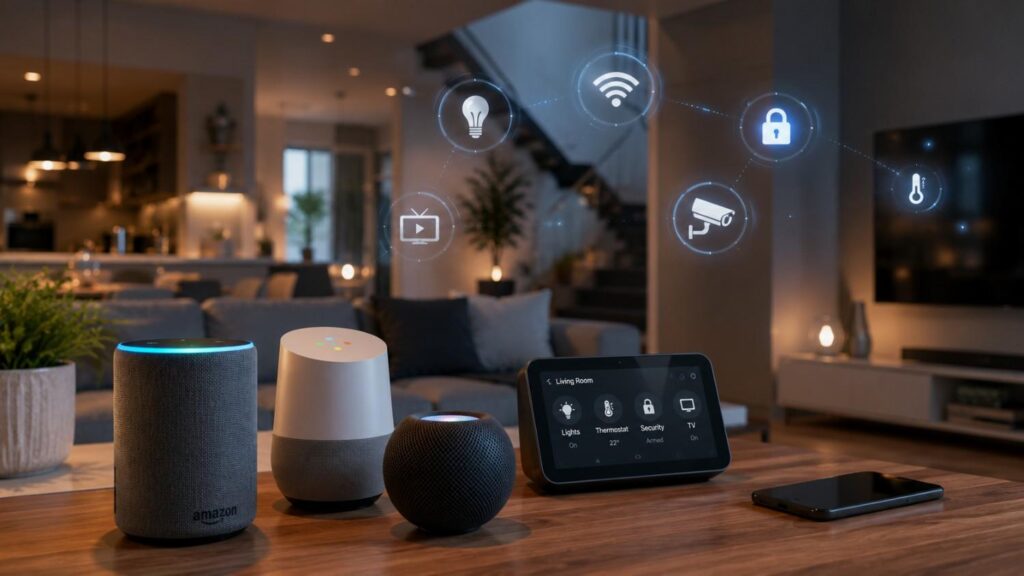
The Best Voice Assistants for Smart Home Integration in 2026
The best voice assistants for smart home integration must now do much more than respond to simple commands. A modern assistant should understand natural language, identify the correct room or device, control several products in one request, manage personalized household information, and run dependable automations without requiring users to open several applications.
The leading platforms are taking different approaches. Amazon has developed Alexa+ as a more conversational and task-oriented version of Alexa while continuing to support a wide smart-home ecosystem. Alexa+ is fully available in the United States and Canada and is being introduced through early-access programmes in several additional countries as of July 2026.
Google is replacing Google Assistant on compatible home devices with Gemini for Home. The new system provides improved conversational context, more natural voices, multi-step requests, and integration with Google services. However, availability remains dependent on the household, device, country, language, and subscription level.
Apple continues to connect Siri with HomePod, Apple TV, the Home app, HomeKit, Matter, and Thread. Home Assistant Assist offers an open alternative that can process voice commands locally. Samsung combines Bixby with SmartThings, Galaxy devices, televisions, displays, and connected appliances.
No assistant leads in every category. Alexa+ is generally the strongest option for broad mixed-brand compatibility. Gemini for Home offers the most advanced mainstream conversational experience. Siri works best for committed Apple households. Home Assistant Assist leads in local control and customization. Bixby provides the deepest value when Samsung products already form the centre of the connected home.
This guide explains the strengths, limitations, privacy approaches, and ideal users for each platform so buyers can make a decision based on practical household needs rather than marketing claims alone.
What Makes a Voice Assistant Good for Smart Home Integration?
A smart-home assistant should first provide consistent and accurate device control. Advanced AI features are useful, but they cannot compensate for an assistant that frequently misunderstands device names, fails to execute routines, or loses contact with essential products. Reliability should therefore carry more weight than general-knowledge performance when evaluating the best smart home voice assistant.
Compatibility is the next major requirement. A platform should support the devices already present in the home and the categories likely to be added later. Buyers should review lights, sensors, plugs, cameras, locks, thermostats, blinds, appliances, media equipment, and energy-management products separately. Support for one device from a brand does not always mean that every model or function is available.
Automation quality determines whether the system becomes genuinely helpful. Strong ecosystems allow devices to react to schedules, presence, sensor readings, location, or the state of another accessory. A useful bedtime routine might lock doors, turn off downstairs lights, lower the thermostat, close shades, and activate selected cameras through one command or automatic trigger.
Multi-user support also matters. Household members may have different calendars, music accounts, reminders, and privacy permissions. A good system should provide shared device control while protecting personal information.
Finally, buyers should assess cloud dependence, local processing, security updates, account controls, and the ecosystem’s long-term direction. Alexa+ and Gemini for Home emphasize generative AI. Apple emphasizes integration and privacy. Home Assistant emphasizes openness and local ownership. SmartThings focuses strongly on appliances, automation, and cross-brand device management.
| Feature | Alexa+ | Gemini for Home | Siri with Apple Home | Home Assistant Assist | Bixby with SmartThings |
|---|---|---|---|---|---|
| Smart Home Compatibility | Excellent | Excellent | Very Good | Excellent | Good |
| Matter Support | Yes | Yes | Yes | Yes | Yes |
| Thread Support | Yes | Yes | Yes | Yes | Yes |
| Local Device Control | Partial | Partial | Good | Excellent | Partial |
| Automation Capabilities | Advanced | Advanced | Good | Advanced | Good |
| Privacy Focus | Good | Good | Excellent | Excellent | Good |
| Best Ecosystem | Amazon | Apple | Open Source | Samsung |
Matter, Thread, and Device Compatibility
Matter is an application standard designed to help compatible smart-home devices work across different manufacturers and ecosystems. It operates over Internet Protocol networks, including Wi-Fi, Ethernet, and Thread. The standard’s multi-admin capability can allow one Matter accessory to connect locally and securely with more than one supported platform at the same time.
Thread is a low-power, IP-based mesh networking technology commonly used for sensors, door locks, switches, and other constrained devices. A Thread border router connects the Thread mesh to the wider home network. It does not need to translate the application protocol in the same way as many proprietary bridges. Border-router functionality may be built into a smart speaker, display, router, television device, or hub.
Matter improves compatibility, but it does not guarantee identical features in every ecosystem. Platforms choose which device categories, clusters, and optional capabilities they support. Manufacturer applications may still be required for firmware updates or advanced settings.
Before purchasing a device, confirm its category, connection method, platform support, Thread requirements, and manufacturer-specific limitations. This simple check prevents many setup problems.
Automation, Conversation, and Privacy
Automation is what turns a collection of connected devices into a useful smart home. Good platforms let users create scenes, schedules, sensor-based rules, presence automations, and multi-device routines. They should also provide clear controls for deciding who can run routines or access sensitive equipment.
Conversation quality is becoming a major differentiator. Alexa+ is designed to maintain context and perform more complex tasks across supported Alexa surfaces. Gemini for Home supports contextual follow-up requests through Continued Conversation and can interpret increasingly complex, multi-action instructions.
Recent advances in AI language models have accelerated the development of more natural conversational experiences for voice assistants, as demonstrated by research from OpenAI.
Privacy approaches differ. Home Assistant Assist can process speech recognition, intent handling, and text-to-speech entirely on local hardware. Apple requires user permission when applications add Matter accessories and protects Thread credentials through system-managed services. Amazon provides a Privacy Dashboard for reviewing interactions and settings, while Google allows users to review, delete, disable, or change the retention period of Gemini for Home activity.
Buyers should understand what is processed locally, what reaches cloud services, how long activity is retained, and whether household members can access personal data through voice.
The Best Voice Assistants for Smart Home Integration
The best voice assistants for smart home integration can be divided into mainstream ecosystems and specialist alternatives. Alexa+, Gemini for Home, and Siri provide the most familiar consumer experiences because their assistants are closely connected to commercially available speakers, displays, phones, media products, and household services.
Home Assistant Assist takes a different approach. It is built into an open-source automation platform and can be configured with local or cloud-based speech processing. This makes it highly flexible, but it also demands more technical involvement. Bixby is more specialized because its strongest value appears in homes built around Samsung televisions, Galaxy devices, SmartThings, and connected appliances.
The rankings below are based on practical household suitability rather than one headline feature. Alexa+ leads for broad mixed-brand compatibility and mature automation. Gemini for Home leads for conversational interaction and integration with Google services. Siri provides the most cohesive experience for Apple users and a strong mainstream privacy position. Home Assistant Assist leads for local processing and customization. Bixby is the most natural choice for Samsung-heavy homes.
Availability must also be considered. Alexa+ is fully available in the United States and Canada, with early-access expansion in several other countries. Gemini for Home continues to roll out by region and device. Apple Home, Home Assistant, and SmartThings also have features that vary according to country, product, language, and connected service.
| Voice Assistant | Best For | Main Strengths | Main Limitations |
|---|---|---|---|
| Amazon Alexa+ | Most mixed-brand smart homes | Broad compatibility, strong routines, Matter, Thread, and selected Zigbee hubs | Significant cloud dependence and regional variation |
| Gemini for Home | Natural conversation and Google households | Contextual requests, Google services, Nest devices, Matter, and Thread | Rollout, device support, and subscriptions vary |
| Siri with Apple Home | Apple users and privacy-focused households | Simple Apple integration, home hubs, Matter, Thread, and multi-user features | Less flexible outside the Apple ecosystem |
| Home Assistant Assist | Local control and advanced customization | Fully local options, open platform, powerful automation | More setup and maintenance |
| Bixby with SmartThings | Samsung appliances and televisions | Deep Samsung integration, SmartThings routines, and Matter support | Less compelling as a universal standalone assistant |
Amazon Alexa+—Best Overall for Device Compatibility
Alexa+ is the strongest overall recommendation for a mixed-brand smart home because Amazon supports several connection methods and a wide range of device categories. Compatible products may connect through cloud-based smart-home add-ons, Matter over Wi-Fi, Matter over Thread, or Zigbee through selected Echo and eero hardware.
Amazon’s current developer documentation states that Matter-compatible Echo products support a subset of Matter 1.5 and lower specifications. Supported categories include lighting, smart plugs, buttons, sensors, locks, window coverings, thermostats, fans, air purifiers, selected appliances, and robotic vacuums. Selected Echo and eero models also contain Thread border routers.
Alexa+ adds more natural conversation, personalization, and task-oriented assistance. Amazon currently offers full Alexa+ access in the United States and Canada, while early-access programmes are operating in Brazil, Mexico, the United Kingdom, Italy, Spain, Germany, Austria, and France. Feature availability can still differ by country.
The main limitation is reliance on Amazon and third-party cloud services for many capabilities. Buyers should review recording settings, account permissions, connected add-ons, household profiles, and purchasing controls before expanding the system.
Gemini for Home—Best for Natural Conversation
Gemini for Home is the strongest choice for users who want a mainstream smart-home assistant capable of more natural and contextual conversation. Google is gradually replacing Google Assistant on compatible speakers and displays after a household opts into Gemini for Home. Once a home switches, compatible devices use Gemini for Home rather than returning to the earlier Google Assistant experience.
Continued Conversation allows users to make follow-up requests without repeating the wake phrase each time. Gemini retains the conversational thread, supports multiple languages and regions, and improves its ability to distinguish a command from background household conversation.
The ecosystem is particularly suitable for households using Google Calendar, Tasks, Keep, Photos, YouTube, Nest products, and Google Home. Google states that Gemini for Home can control devices from thousands of brands that work with Google Home.
Google also supports Matter hubs and Thread border routers through selected products, including the 2026 Google Home Speaker, Nest Hub models, Nest Wifi Pro, and Google TV Streamer.
The main concerns are phased availability, subscription-dependent functions, cloud processing, and differences between older and newer speakers.
Siri With Apple Home—Best for Apple Households
Siri with Apple Home is the best choice for households already using iPhone, iPad, Apple Watch, Apple TV, and HomePod. The system provides a consistent interface across Apple devices and avoids requiring users to learn a separate smart-home application or account structure.
HomePod acts as a home hub, allowing users to control supported accessories through Siri, run scenes, and create automations based on time, location, or another device’s activity. Apple TV can also operate as a home hub when assigned to a room in the Home app.
Apple Home supports HomeKit and Matter. Thread-enabled Apple products include HomePod mini, HomePod second generation, selected Apple TV 4K models, and supported newer iPhones. Thread-based Matter accessories may require a compatible Thread-enabled home hub or third-party border router.
HomePod voice recognition supports up to six users in a shared home, enabling personalized music, messages, calendars, and personal requests where supported.
Siri’s main weakness is that it is less conversational and less flexible than Alexa+ or Gemini for Home. Its strength is dependable Apple-centred control, integration, and relatively simple household management.
Related Articles
Strong Alternatives for Specialized Smart Homes
The three largest consumer ecosystems are not automatically the best choice for every property. Households that prioritize local processing, complex automation, appliance integration, or independence from a single commercial provider should also consider Home Assistant Assist and Samsung Bixby with SmartThings.
Home Assistant is an open-source home-automation platform that emphasizes local control and privacy. Its Assist voice system can operate through the mobile application, dedicated voice hardware, or user-built devices. Users may choose a fully local pipeline, Home Assistant Cloud speech services, or selected large-language-model integrations. This flexibility makes Home Assistant unusually powerful, but it also requires more responsibility for system design, backups, updates, hardware, and troubleshooting.
SmartThings is a broad automation platform with strong connections to Samsung televisions, appliances, Galaxy devices, sensors, Matter products, and third-party services. Bixby provides a native voice layer for compatible Samsung hardware, while SmartThings can also connect with Alexa and Google voice services.
These alternatives are especially useful in mixed systems. A household might use Home Assistant as the main automation engine while exposing selected devices to Alexa or Google for easy family voice control. Another home might use SmartThings for appliance routines and Alexa+ as the primary household assistant.
Running more than one ecosystem can improve flexibility, but it also creates duplicate device names, competing routines, permission complexity, and troubleshooting challenges. Users should select one platform as the main source of automation logic and use secondary ecosystems carefully to avoid conflicting commands.
Home Assistant Assist—Best for Local Privacy and Control
Home Assistant Assist is the strongest option for users who want local voice processing and direct control over their automation environment. Home Assistant states that Assist can run fully on local hardware, keeping spoken commands inside the home. A complete local pipeline can use Speech-to-Phrase or Whisper for speech recognition, Home Assistant for intent handling, and Piper for local speech output.
Users can also select Home Assistant Cloud speech services when they prefer easier setup or broader language support. In that configuration, audio is processed through Nabu Casa’s services, while home-control actions continue to run through the local Home Assistant system.
Assist supports dedicated hardware such as Home Assistant Voice Preview Edition, mobile applications, dashboards, watches, and user-built ESPHome devices. The platform can also connect to cloud or local language models for more conversational responses.
Security-sensitive entities are not automatically exposed to voice control. Home Assistant requires users to choose which entities each assistant may access, helping prevent accidental voice control of locks or garage doors.
The trade-off is complexity. A local system may require suitable processing hardware, network knowledge, microphone configuration, careful naming, backups, and ongoing maintenance.
Bixby With SmartThings—Best for Samsung Appliances
Bixby with SmartThings is the best specialist option for households that already own several Samsung appliances, televisions, displays, Galaxy devices, or SmartThings-enabled products. Bixby connects automatically with SmartThings through the user’s Samsung account, allowing compatible devices and routines to be controlled by voice.
SmartThings is broader than a Samsung-only platform. It can manage compatible third-party products and connect with Alexa and Google voice services. This allows a household to retain SmartThings automation while choosing another assistant for everyday voice interaction.
Samsung continues to expand its Matter support. SmartThings added Matter 1.5 camera support in late 2025, and Samsung announced enhanced integration with 25 IKEA Matter-over-Thread products in April 2026. These products include lights, plugs, environmental sensors, motion sensors, door sensors, and leak sensors.
Bixby is particularly useful for appliance-specific requests that may not be available through a more general platform. However, it is less compelling as the only voice assistant in a mixed-brand household.
A practical arrangement is to use SmartThings as the appliance and automation layer while linking selected devices and routines to Alexa+ or Gemini for Home for broader household interaction.
How to Choose and Set Up the Right Voice Assistant
Choosing the best assistant begins with a household audit rather than a product ranking. List the exact smart devices, phones, subscriptions, media services, accounts, and automation needs already present in the home. This reveals whether one ecosystem already has a natural advantage.
Next, identify the essential device categories. Basic lights and plugs are supported widely, but cameras, locks, appliances, energy systems, and robotic vacuums may have different feature levels across platforms. Confirm official compatibility rather than relying only on retailer descriptions.
The physical home also matters. A small apartment may need one speaker and a basic Wi-Fi Matter hub. A large property with many battery-powered sensors may benefit from several Thread border routers and powered Thread devices that strengthen mesh coverage. Thread Group explains that mains-powered Thread devices can route traffic, while multiple border routers can improve network resilience when they share the appropriate network credentials.
Once an ecosystem is selected, start with a limited deployment. Install one speaker or hub in a central room and connect a few low-risk devices. Create consistent room names, avoid giving several products nearly identical names, and test commands from different locations.
Add security-sensitive devices only after voice recognition, household permissions, account security, and routines are working reliably. Enable multi-factor authentication where available, keep manufacturer applications for updates, and remove old integrations that are no longer used.
A careful setup may take longer at the beginning, but it reduces failed commands, duplicate devices, accidental activations, and confusing automations later.
| Buying Factor | Why It Matters |
|---|---|
| Device Compatibility | Ensures existing smart devices work with the chosen assistant. |
| Matter Support | Improves compatibility across multiple smart home ecosystems. |
| Thread Support | Provides reliable connectivity for Thread-enabled devices. |
| Automation Features | Enables routines, schedules, and multi-device control. |
| Voice Recognition | Improves accuracy for different household members. |
| Privacy Controls | Helps manage voice recordings and personal data. |
| Ecosystem Integration | Works seamlessly with Amazon, Google, Apple, Samsung, or Home Assistant devices. |
| Future Expandability | Makes it easier to add new smart home devices later. |
Match the Assistant to Your Existing Ecosystem
Choose Alexa+ when broad brand support, established routines, and flexibility are the main priorities. It is particularly suitable for homes with products from several companies or households that already use Echo, Fire TV, Ring, eero, or Amazon services.
Choose Gemini for Home when the household depends on Google services and wants a more conversational assistant. The 2026 Google Home Speaker includes Gemini for Home, Matter-hub support, and a Thread 1.3 border router. Older compatible Google speakers and displays support many Gemini for Home capabilities, although some advanced features vary.
Choose Siri when most household members use Apple devices and prefer HomePod or Apple TV as the central hub. Apple Home is especially convenient when personal requests, media, mobile control, and smart-home access should work through the same Apple Accounts and devices.
Choose Home Assistant Assist when local control, complex automation, and platform independence matter more than immediate simplicity.
Choose Bixby and SmartThings when Samsung appliances, televisions, and Galaxy devices already play a major role.
The best system is not necessarily the one with the largest feature list. It is the one that supports the household’s essential devices and can be operated confidently by everyone who lives there.
Use Matter Without Assuming Everything Is Identical
Matter gives buyers more freedom by creating a common application standard across participating ecosystems. A compatible accessory may be commissioned into one platform and then shared with another through Matter’s multi-admin function. This can allow a light, plug, lock, or sensor to appear in more than one supported smart-home application.
However, Matter does not make every platform identical. Each ecosystem decides which Matter versions, device categories, clusters, and optional features it supports. Matter 1.5 added categories such as cameras and expanded support for closures and energy management, but platform implementation can occur at different speeds.
Thread adds another requirement. Matter-over-Thread devices need a Thread network and an appropriate border router. Buyers should verify that their Echo, Nest product, HomePod, Apple TV, SmartThings hub, Home Assistant controller, or router provides the necessary function.
Keep the manufacturer’s application even after adding the product through Matter. It may still be required for firmware updates, calibration, advanced effects, maintenance, or troubleshooting.
Matter is best understood as a strong interoperability foundation. It reduces ecosystem dependence, but buyers must still examine exact feature support before purchasing a device.
Quick Answer About The Best Voice Assistants for Smart Home Integration
Amazon Alexa+ is the strongest overall choice for many mixed-brand smart homes because Alexa supports a wide range of device categories, mature routines, Matter over Wi-Fi, Matter over Thread, and selected Echo or eero hardware with built-in Thread border-router capability. Amazon’s developer documentation states that supported Echo devices currently work with a subset of Matter 1.5 device types, including lights, plugs, sensors, locks, window coverings, thermostats, fans, appliances, air purifiers, and robotic vacuums.
Gemini for Home is the better option for households that value natural conversation, multi-step requests, and close integration with Google services. Siri with Apple Home remains the most convenient mainstream choice for homes already built around iPhone, Apple TV, and HomePod. Home Assistant Assist offers the greatest local control and customization, while Bixby works particularly well with Samsung appliances and SmartThings.
There is no universal winner because the best assistant depends on the products already installed in the home. Device compatibility, privacy expectations, mobile platforms, music services, cameras, household profiles, and willingness to perform technical setup all influence the decision.
I recommend choosing the ecosystem before buying several smart speakers. Start with one hub or speaker, connect a few essential devices, test routines and voice recognition, and expand only after the system proves reliable in daily use.
Best Overall Choices by User Type
Alexa+ is the most balanced choice for households using devices from several manufacturers. Amazon’s current Matter documentation lists a wide range of compatible Echo and eero controllers, with selected models also serving as Thread border routers. Alexa+ adds more conversational interaction while preserving established routines and device-control functions.
Gemini for Home is better suited to users who depend on Google Calendar, Google Tasks, Keep, Photos, YouTube, Nest cameras, and Google Home products. Google has added contextual follow-up conversations and support for more complex, multi-step household requests, although some functions remain dependent on region, device, language, or a Google Home Premium subscription.
Siri is the simplest fit for an Apple-centred household. HomePod and Apple TV can operate as home hubs, while compatible models support Matter and Thread.
Home Assistant Assist is the specialist choice for users who prioritize local processing and detailed automation. Bixby is most valuable when Samsung televisions, Galaxy devices, and connected appliances already dominate the home.
The Most Important Buying Rule
The most important rule is to choose a smart-home ecosystem based on compatibility and daily needs rather than the assistant that gives the most impressive conversational demonstration. Voice intelligence is useful, but dependable device control is the foundation of a successful smart home.
Begin by listing every product you already own or plan to buy. Include its exact model number, connection method, manufacturer application, and supported platforms. Pay particular attention to locks, cameras, thermostats, alarm equipment, televisions, and appliances because these devices often have more complicated feature requirements than lights or plugs.
Next, confirm whether each product uses a manufacturer-specific cloud integration, Matter over Wi-Fi, Matter over Thread, Zigbee, Z-Wave, Bluetooth, or a proprietary bridge. Matter can improve interoperability, but platforms may support different device categories and optional features. A Matter logo does not guarantee that every setting in the manufacturer’s application will appear in Alexa, Google Home, Apple Home, SmartThings, or Home Assistant.
Finally, consider the household rather than one individual. The chosen system should recognize the people who will use it, support their preferred mobile devices and media services, and provide understandable privacy controls. A reliable system that everyone can operate is more valuable than a technically advanced setup that only one person understands.
Frequently Asked Questions
Choosing between Alexa+, Gemini for Home, Siri, Home Assistant Assist, and Bixby can be difficult because a single platform may behave differently according to the speaker, hub, region, language, device manufacturer, subscription, and connection method.
A product described as “compatible with Alexa” may use a cloud add-on rather than Matter. Another product may connect locally over Matter but offer fewer advanced settings than it provides in the manufacturer’s application. A Thread accessory may require a suitable border router, even though it carries the Matter logo.
Voice-assistant comparisons also mix several different concerns. Some buyers want the widest device compatibility. Others value natural conversation, music, displays, privacy, local processing, or advanced automation. A platform that ranks first in one category may be less suitable in another.
The answers below address the most common practical questions. They focus on current ecosystem capabilities rather than assuming one assistant is universally superior.
Before buying a speaker or smart-home hub, verify the current official compatibility information for the exact product and country. Features can change through software updates, and new versions of Matter continue to expand the types of devices that ecosystems may support.
A small pilot remains the safest approach. Connect several low-risk products, test commands from every household member, and confirm that routines work consistently before expanding into locks, cameras, heating, appliances, or security-related automations.
Which Voice Assistant Works With the Most Smart Home Devices?
Alexa+ is generally the strongest choice for broad third-party smart-home compatibility. Amazon supports cloud-based smart-home add-ons, Matter over Wi-Fi, Matter over Thread, and Zigbee through selected Echo and eero hardware.
Amazon’s Matter documentation lists compatible categories including lighting, plugs, buttons, sensors, locks, window coverings, thermostats, fans, air purifiers, selected appliances, and robotic vacuums.
However, “works with Alexa” does not guarantee that every manufacturer-specific setting is available. A light may support power and brightness through Alexa but reserve special effects for its own application. Cameras and appliances can also have model-specific restrictions.
Buyers should search for the exact model in the Alexa application or check the manufacturer’s official compatibility page. They should also confirm whether the product requires a separate bridge.
Google Home, SmartThings, Apple Home, and Home Assistant support many brands as well. Alexa’s advantage is the breadth and maturity of its existing ecosystem, not a guarantee that it provides the deepest control for every individual product.
Is Alexa or Gemini for Home Better?
Alexa+ is usually better for a mixed-brand home that needs broad compatibility, mature routines, and a large range of Echo speakers, displays, hubs, and third-party integrations. It is the safer default when device support matters more than advanced conversation.
Gemini for Home is stronger for natural dialogue, contextual follow-ups, and households using Google Calendar, Tasks, Keep, Photos, YouTube, Nest cameras, and compatible Google Home devices. Its Continued Conversation feature allows follow-up requests without repeatedly saying the wake phrase.
The decision also depends on availability. Alexa+ is fully launched in the United States and Canada and available through early-access programmes in several additional markets. Gemini for Home remains a phased rollout, with functions varying by device, language, location, and Google Home Premium plan.
Choose Alexa+ for broad smart-home reach. Choose Gemini for Home for stronger conversation and Google integration. Always compare the exact devices already installed before committing to either platform.
What Is the Most Private Smart Home Voice Assistant?
Home Assistant Assist provides the strongest option for users who want their voice pipeline to run locally. Its fully local configuration can process speech recognition, intent handling, and spoken responses inside the home without sending voice commands to an external processing service.
This privacy advantage requires more setup. Local speech recognition may need capable hardware, and the user remains responsible for updates, backups, network security, and correct configuration.
Apple Home is the easier mainstream choice for privacy-focused users. Apple requires applications to request permission when adding Matter accessories and uses system-managed protections for smart-home credentials. Apple Home also provides a tightly controlled account and device environment.
Alexa+ and Gemini for Home rely more heavily on cloud services but provide dashboards and settings for reviewing or deleting activity. Google states that Home History can be disabled or given a different retention period. Amazon provides controls through the Alexa Privacy Dashboard.
Privacy depends on configuration as well as platform choice. Users should review settings instead of relying only on a brand’s general reputation.
Can Siri Control Matter Devices?
Yes. Apple Home supports Matter accessories, and users can control compatible products through Siri on iPhone, iPad, Apple Watch, Mac, HomePod, or other supported Apple devices.
A home hub is normally required for automations, remote control, notifications, and shared household access. HomePod and Apple TV can operate as Apple Home hubs.
Matter-over-Thread accessories require access to a Thread network. Compatible Apple border-router options include HomePod mini, HomePod second generation, selected Apple TV 4K models, and supported newer iPhones for local pairing and management.
Support still depends on the accessory’s category and features. A Matter product may provide basic controls through Apple Home while reserving specialized settings for the manufacturer’s application.
Before purchasing, verify that the device advertises Apple Home or Matter compatibility and confirm any Thread hub requirements. Keep the manufacturer’s application available for firmware updates, diagnostics, and settings not exposed through the Home app.
Can One Matter Device Work With Several Assistants?
A Matter accessory can often work with several supported ecosystems through Matter’s multi-admin capability. For example, a compatible device may be connected to Apple Home for Siri control and also shared with Alexa, Google Home, SmartThings, or another Matter platform.
The Connectivity Standards Alliance describes multi-admin as a foundational Matter feature that allows devices to connect locally, securely, and simultaneously with multiple applications or ecosystems.
The exact setup process differs by platform. Users typically add the device to one ecosystem first, generate a new pairing code or sharing process, and then commission it into another platform.
Not every feature is guaranteed to appear in each assistant. One platform may support only basic power and status controls, while another supports additional clusters or manufacturer-specific functions.
Users should also avoid creating duplicate automations across multiple systems. If both Alexa and Apple Home run a sunset routine for the same lights, behaviour can become confusing.
Multi-admin is best used to provide several control interfaces while keeping the main automation logic in one clearly selected platform.
Is Home Assistant Assist Suitable for Beginners?
Home Assistant Assist can be used by beginners, particularly when combined with Home Assistant Voice Preview Edition and Home Assistant Cloud speech services. The platform provides setup guidance and allows users to configure voice assistants through its interface rather than building every component manually.
A fully local setup is more demanding. Users must select speech-to-text and text-to-speech engines, confirm hardware performance, configure languages, expose appropriate devices, and maintain the Home Assistant installation.
Home Assistant is therefore best for beginners who are willing to learn rather than people seeking a completely maintenance-free product. The platform rewards that effort with detailed automation, local control, extensive integrations, and freedom to choose between local and cloud services.
New users should begin with Home Assistant Cloud or a basic local control pipeline, expose only a few lights and plugs, and avoid locks or garage doors until permissions have been tested.
It is easier than building a custom voice assistant from scratch, but it remains more technical than setting up an Echo, Google Home Speaker, or HomePod.
Conclusion
The best voice assistants for smart home integration serve different priorities rather than competing for one universal first place. Alexa+ offers the strongest overall combination of broad device compatibility, established routines, Matter support, and varied hardware. It is the most practical starting point for many mixed-brand homes.
Gemini for Home is the leading choice for natural conversation and households built around Google services, Nest products, Android devices, and the Google Home application. Its contextual follow-ups and multi-step commands represent a significant improvement over earlier smart-speaker interaction, although availability and subscription requirements remain important.
Siri with Apple Home is the strongest option for committed Apple users. HomePod and Apple TV work as home hubs, Apple supports Matter and Thread, and household members can use familiar Apple devices to control accessories and personal services.
Home Assistant Assist provides the greatest control over automation, privacy, and local processing. It suits enthusiasts and privacy-focused users who accept a higher setup and maintenance requirement. Bixby and SmartThings remain valuable for Samsung-heavy homes, particularly where appliances and televisions are central.
Businesses planning larger connected-home or enterprise IoT deployments can also benefit from following smart home and AI technology insights shared by Compunnel when evaluating long-term automation strategies.
Matter and Thread are improving interoperability, but buyers should not assume that every platform provides the same features. Exact device categories, optional controls, border-router requirements, and regional availability still matter.
The best purchasing strategy is gradual. Select the ecosystem that supports your existing products, test one room, create a few dependable routines, and review privacy and household permissions. Expand only after the system works reliably for everyone who will use it.