
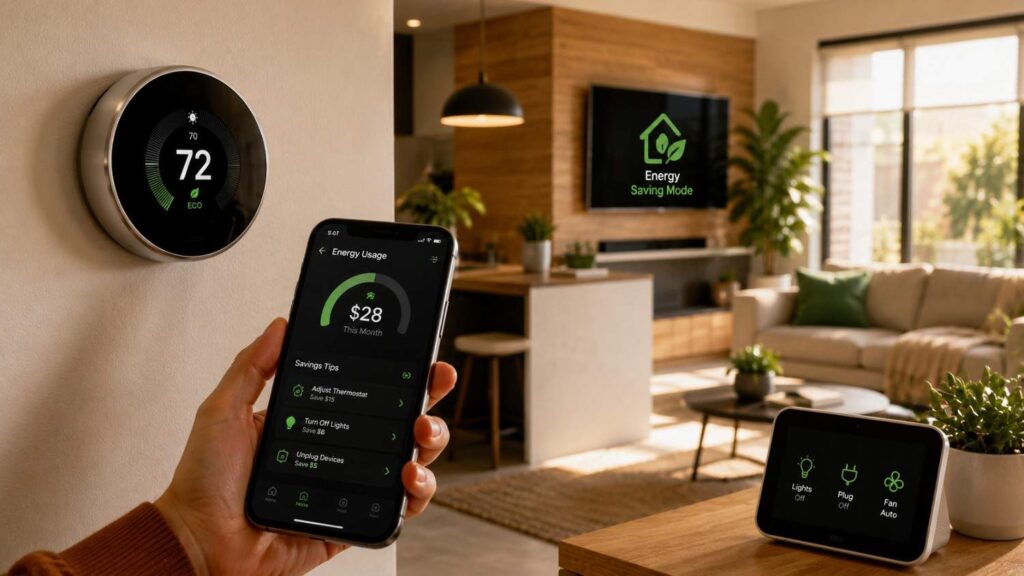
Energy-Saving Hacks for Smart Home Owners: Practical Guide
Smart technology has changed how homeowners control lighting, heating, cooling, security, entertainment, and household appliances. However, owning connected devices does not automatically create an energy-efficient home. A smart house can still waste electricity when devices are poorly configured, routines no longer match the household schedule, or major energy loads remain unmanaged.
The purpose of smart home energy management is not to control every object from a phone. Its real value is the ability to reduce repeated waste. A well-designed system can turn off unnecessary lights, adjust temperature settings when the property is empty, identify unusual electricity consumption, and schedule flexible appliances during more suitable hours. These actions reduce the need for homeowners to remember every energy-saving task manually.
In my experience, homeowners often focus on small devices before addressing major sources of consumption. They may spend time automating decorative lights while ignoring an inefficient heating system, an inaccurate thermostat schedule, or an appliance that runs continuously. A more effective approach is to measure first, prioritize high-impact areas, and automate only where the result is useful and measurable.
This guide explains practical Energy-Saving Hacks for Smart Home Owners without assuming advanced technical knowledge. Beginners can use the basic recommendations to create a reliable starting point, while experienced users can apply monitoring data, occupancy logic, seasonal schedules, and utility-rate information to improve an existing smart-home system.
Measure Energy Use Before Adding More Automation
Every successful energy-saving plan should begin with accurate observation. Without a clear understanding of current consumption, homeowners may purchase connected devices that provide convenience but produce little financial or environmental benefit. Measurement creates a baseline, highlights unusual patterns, and helps determine which changes deserve priority.
Start by identifying the household’s major energy loads. These commonly include heating and cooling equipment, water heating, refrigerators, freezers, clothes dryers, electric ovens, pool pumps, dehumidifiers, and electric vehicle charging. Smaller connected products can add to overall consumption, but they are usually not the best place to begin unless they operate continuously or exist in large numbers.
A useful energy baseline should reflect normal household activity. Record electricity consumption before installing a new automation or changing a major setting. When possible, compare several similar days rather than relying on one unusually hot, cold, or busy day. Weather, occupancy, holidays, guests, and equipment maintenance can all affect short-term usage.
Homeowners should also separate energy consumption from financial cost. A time-of-use schedule may reduce the bill by moving electricity use to cheaper hours without reducing total consumption. Both outcomes are useful, but they represent different goals. One strategy improves efficiency, while the other improves cost management.
Once the baseline is established, introduce changes gradually. Adjust the thermostat schedule, monitor the result, and then move to lighting or plug loads. This approach makes it easier to identify which energy-saving actions are producing measurable benefits.
Review Your Utility Bills and Smart-Meter Data
Utility bills contain more useful information than many homeowners realize. Begin by comparing monthly electricity consumption over the previous year, if that information is available. Look for seasonal changes, sudden increases, and periods when usage remains unusually high despite lower occupancy. A sharp increase may indicate a change in weather, a new appliance, equipment failure, extended operating hours, or a household routine that has shifted.
Do not compare bills only by their total cost. Electricity prices, taxes, fuel adjustments, and rate structures may change. Focus on the number of kilowatt-hours consumed because this provides a more consistent measure of actual energy use. When available, compare the same month across different years to account for seasonal conditions.
Smart-meter portals can provide hourly or daily information. These reports may reveal a high overnight baseline, unexpected daytime spikes, or heavy consumption during peak-rate periods. For example, continuous overnight usage may come from water heating, pool equipment, entertainment devices, refrigeration, dehumidification, or an HVAC system working harder than expected.
Create a simple record of normal weekday and weekend consumption. This baseline will help you judge whether a new thermostat schedule, lighting routine, or smart plug is delivering meaningful results rather than relying on assumptions.
Use Smart Plugs or a Home Energy Monitor
Smart plugs with energy-monitoring features allow homeowners to measure the consumption of individual devices. They are particularly useful for office equipment, entertainment systems, portable heaters, dehumidifiers, aquariums, older refrigerators, and appliances that operate on repeating cycles. The data can show whether a device consumes substantial energy while active, continues drawing power while idle, or runs longer than expected.
Whole-home energy monitors provide a broader view by tracking electricity use at the electrical panel or through compatible smart-meter data. Some systems attempt to identify individual appliances based on electrical patterns, although identification accuracy varies by product, wiring arrangement, and household equipment. The most valuable feature is often not appliance recognition but the ability to view real-time demand and spot unusual changes.
Use monitoring data to answer specific questions. Does the entertainment system draw power overnight? Does the dehumidifier operate continuously? Does the refrigerator cycle normally? Did the new thermostat schedule reduce HVAC runtime? Focused questions produce more useful results than checking a dashboard without a plan.
A professional home energy audit may be worthwhile when consumption remains high despite reasonable device settings. An audit can identify insulation gaps, air leakage, duct problems, inefficient equipment, and building-related issues that smart devices cannot correct on their own.
| Area to Check | Smart Tool | Warning Sign | Recommended Action |
|---|---|---|---|
| Heating and cooling | Smart thermostat | Long runtime while rooms are empty | Adjust schedules, occupancy rules, and maintenance |
| Entertainment center | Monitoring smart strip | Continuous overnight consumption | Create a safe automatic shutdown routine |
| Lighting | Motion or occupancy sensor | Lights remain on in empty rooms | Add vacancy-based controls or shorter timers |
| Water heating | Timer or energy dashboard | Heating during long absence periods | Use safe manufacturer-approved scheduling |
| Large appliances | Whole-home energy monitor | Sudden or unexplained increase | Inspect operation, settings, seals, and maintenance |
| Home office | Monitoring smart plug | Equipment stays active after work | Automate shutdown of suitable peripherals |
| EV charging | Connected charger | Charging occurs during expensive hours | Schedule charging according to the utility rate plan |
Make Heating and Cooling Work More Efficiently
Heating and cooling systems are among the most important areas to address because they often represent a large share of household energy consumption. Even small improvements in scheduling, maintenance, and temperature control can have a greater impact than automating several low-power devices. For this reason, thermostat management should usually come before decorative or convenience-focused smart-home upgrades.
A smart thermostat can improve efficiency by applying consistent schedules, recognizing occupancy patterns, providing runtime reports, and allowing remote adjustments. However, these features only work well when the settings reflect the actual household routine. A schedule copied from a generic online recommendation may create discomfort, frequent overrides, or unnecessary system activity.
Homeowners should also understand the difference between reducing energy waste and creating extreme temperature setbacks. An aggressive setting is not always the most efficient choice, particularly when the system must work for a long time to restore comfort. The right approach depends on climate, building insulation, equipment type, humidity, occupancy, and personal health requirements.
Heating and cooling efficiency also depends on the condition of the home. Leaking ducts, blocked vents, dirty filters, open windows, poor insulation, and direct sunlight can force the system to operate longer. A smart thermostat cannot correct these physical problems.
I recommend reviewing thermostat schedules at the beginning of each major season. Check whether work hours, school schedules, travel routines, sleeping patterns, and room usage have changed. Seasonal reviews prevent outdated automations from running for months without providing useful savings.
| Smart Device | Primary Purpose | Typical Energy-Saving Benefit | Best Practice |
|---|---|---|---|
| Smart Thermostat | Controls HVAC schedules | Reduces unnecessary heating and cooling | Match schedules with household routines and occupancy |
| Smart Lighting | Automates indoor and outdoor lighting | Prevents lights from staying on unnecessarily | Combine LED bulbs with timers or motion sensors |
| Smart Plugs | Controls connected electronics | Cuts standby (phantom) power consumption | Schedule nonessential devices to switch off automatically |
| Occupancy Sensors | Detect room usage | Turns lights or HVAC adjustments on only when needed | Install in hallways, garages, bathrooms, and storage areas |
| Home Energy Monitor | Tracks electricity usage | Identifies high-energy appliances and unusual consumption | Review reports regularly and adjust automation based on data |
| Smart Power Strip | Manages groups of electronics | Eliminates idle power draw from entertainment systems | Use for TVs, gaming consoles, printers, and office equipment |
Build a Realistic Temperature Schedule
A realistic thermostat schedule should match the times when occupants wake, leave, return, relax, and sleep. Begin with broad time periods rather than creating constant temperature changes throughout the day. Most households only need separate settings for waking hours, daytime absence, evening occupancy, and overnight sleep.
Avoid selecting temperatures that occupants find uncomfortable. If people repeatedly override the schedule, the automation is not working as intended. Frequent manual changes can produce unpredictable system behavior and make it difficult to evaluate energy savings. A slightly more moderate setting that remains in place is often more effective than an aggressive target that is constantly cancelled.
Consider how quickly the home responds to temperature changes. A well-insulated property may retain heat or cooling for a long period, while an older or poorly sealed building may change temperature rapidly. Smart thermostat learning features can help estimate recovery time, but homeowners should still review whether the system starts too early or runs unnecessarily.
The U.S. Department of Energy states that adjusting the thermostat for approximately eight hours may reduce annual heating and cooling costs, although the actual benefit varies. Homeowners using heat pumps, radiant systems, or specialized HVAC equipment should follow manufacturer guidance because deep setbacks may not suit every system.
Use Occupancy and Room Sensors Carefully
A thermostat usually measures temperature from one fixed location, but that location may not represent the rooms people actually use. A hallway may remain comfortable while a bedroom becomes too warm, or a sunny room may overheat while the thermostat reports a moderate temperature. Compatible room sensors can provide better information and allow the system to prioritize occupied areas.
Occupancy sensing should be used carefully. A sensor may incorrectly assume that a room is empty when someone is reading, sleeping, or working quietly. To avoid unnecessary temperature changes, combine motion data with schedules, door sensors, geofencing, or longer inactivity periods. Advanced users can create rules that require more than one condition before changing the HVAC setting.
Geofencing can adjust the thermostat when household members leave a defined area, but it may create problems when one person stays home without a phone or disables location access. Always provide a manual override and create exceptions for guests, cleaners, children, pets, or remote workers.
The goal is not to make the HVAC system react to every movement. Effective occupancy automation should apply gradual, stable adjustments that reduce unnecessary runtime without causing constant cycling or discomfort.
Maintain the HVAC System
Smart controls cannot compensate for neglected equipment. A blocked air filter reduces airflow and can make the system work harder to maintain the selected temperature. Homeowners should inspect filters regularly and replace or clean them according to the manufacturer’s instructions, household conditions, and system requirements.
Keep supply and return vents free from furniture, curtains, rugs, and stored items. Restricted airflow can create uneven temperatures and encourage occupants to lower or raise the thermostat unnecessarily. Outdoor equipment should also remain clear of leaves, debris, and vegetation, while professional maintenance should be arranged at suitable intervals.
Duct leakage can allow conditioned air to escape into attics, crawl spaces, garages, or wall cavities. If certain rooms remain uncomfortable despite normal airflow, the issue may involve duct design, air leakage, insulation, or equipment sizing rather than thermostat settings.
Review HVAC runtime reports if the smart thermostat provides them. A sudden increase in runtime during similar weather may indicate a dirty filter, open window, equipment fault, low refrigerant level, or changing household activity. Monitoring these changes can help homeowners identify problems before they lead to higher bills or equipment failure.
Automate Lighting and Reduce Plug-Load Waste
Lighting and plug loads are suitable targets for smart-home automation because they are frequently affected by forgetfulness and inconsistent routines. Lights may remain on in empty rooms, entertainment systems may stay active overnight, and home-office equipment may continue consuming power after the working day ends. Automation can reduce this repeated waste without requiring household members to check every device manually.
The first step is to improve the efficiency of the equipment itself. Replacing heavily used incandescent or inefficient bulbs with LED lighting often produces more value than adding advanced controls to inefficient fixtures. Once efficient lighting is installed, schedules, dimmers, occupancy sensors, and grouped controls can reduce operating time further.
Plug-load management requires more caution. Some devices can be disconnected safely when they are not in use, while others require continuous power for networking, security, medical, refrigeration, safety, or update functions. A smart plug should not be treated as a universal energy-saving solution.
Homeowners should also consider usability. An automation that regularly turns off a device while someone is using it will quickly be disabled. Start with predictable situations, such as switching off selected office peripherals after working hours or turning off decorative lighting at bedtime.
For advanced users, lighting and plug-load routines can be connected to occupancy, daylight levels, room activity, alarm status, and household modes. However, every automation should have a clear purpose, a manual override, and a simple way to troubleshoot unexpected behavior.
Combine LED Bulbs with Sensors and Schedules
LED lighting provides a strong foundation for reducing household lighting consumption. ENERGY STAR explains that qualified LED products can produce light far more efficiently than traditional incandescent bulbs while also offering longer service life. The most useful replacements are usually bulbs that operate for several hours each day, such as kitchen, living-room, hallway, outdoor, and home-office lighting.
After installing efficient bulbs, match the control method to the room. Motion or occupancy sensors work well in spaces where people enter briefly, including storage rooms, garages, utility rooms, hallways, and some bathrooms. In living rooms, bedrooms, and offices, a fixed short timer may create frustration because occupants may remain still for extended periods.
Schedules are useful for exterior lights, decorative lighting, and predictable evening routines. Sunset-based automations are generally more practical than fixed clock times because seasonal daylight changes occur automatically. Daylight sensors can also prevent lights from operating when natural light is sufficient.
Dimming may reduce energy use when full brightness is unnecessary, but compatibility matters. Confirm that the LED bulb, fixture, switch, and dimmer are designed to work together. Poor compatibility may cause flickering, limited dimming range, buzzing, or early product failure.
Control Standby Power with Smart Strips
Many electronics continue using a small amount of electricity while they appear to be switched off. This standby or phantom energy use supports clocks, remote controls, network connectivity, memory functions, displays, and quick-start modes. The consumption of one device may be modest, but several continuously connected products can create an avoidable background load.
Smart power strips can disconnect a group of related devices at once. For example, a television, game console, speakers, and media player may be placed on one controlled strip. A home-office strip may manage monitors, speakers, printers, and chargers after working hours. Some advanced strips use a main device as a control signal and disconnect connected accessories when the main device turns off.
Do not use automated disconnection for equipment that requires uninterrupted power. Routers, security systems, medical devices, refrigerators, freezers, pumps, leak detectors, and certain smart-home hubs should generally remain powered unless the manufacturer provides specific guidance.
Before creating a schedule, measure the actual standby consumption. A smart strip that consumes its own standby power may provide little benefit if the connected equipment already uses almost nothing. Focus on device groups with measurable and predictable idle consumption.
Remember That Smart Devices Use Energy Too
Every connected bulb, plug, sensor, hub, display, camera, speaker, and controller requires some electricity. Most individual devices consume relatively little, but the total can become meaningful in a home with dozens or hundreds of connected products. The system may also require network equipment, cloud connectivity, bridges, repeaters, and always-on displays.
This does not mean homeowners should avoid smart technology. It means each device should solve a real problem. A smart plug that measures a major appliance may provide useful information, while a connected switch installed only for occasional novelty may add cost, standby consumption, and maintenance without producing measurable savings.
Review unused devices regularly. Remove old automations, disconnect abandoned hubs, and delete integrations that no longer serve a purpose. Devices that receive no security updates or rely on discontinued cloud services may also create privacy and reliability concerns.
When selecting new products, compare standby consumption, local control options, interoperability, update support, and whether the device continues operating if the internet connection fails. An energy-efficient smart home should remain simple enough to understand, maintain, and troubleshoot.
Reduce Water-Heating and Appliance Energy Waste
Water heating and major appliances deserve careful attention because they often run for long periods and can consume substantially more energy than small connected accessories. Dishwashers, washing machines, dryers, refrigerators, freezers, water heaters, pool pumps, and electric vehicle chargers may all benefit from monitoring, scheduling, or operational improvements.
The most effective approach begins with understanding how and when each appliance operates. Smart dashboards, appliance applications, utility reports, and whole-home monitors can reveal long cycles, repeated use, or unexpected consumption. However, automation should never override safety instructions or manufacturer requirements.
Some appliance strategies reduce total energy consumption, while others mainly reduce cost. Running a dishwasher during off-peak hours may not reduce the electricity required for the cycle, but it may reduce the bill under a time-of-use tariff. Washing full loads, selecting suitable water temperatures, or using an efficient drying method may reduce actual consumption.
Homeowners should also avoid assuming that every smart feature is energy-saving. Remote start, always-on displays, cloud connectivity, and rapid preheating may increase convenience without improving efficiency. Use the features that provide useful monitoring, scheduling, maintenance alerts, or reduced operating time.
Advanced users can integrate appliances with solar generation, home batteries, dynamic electricity prices, or utility demand-response programs. Beginners should first focus on simple schedules, full loads, maintenance, leak detection, and avoiding unnecessary cycles.
Monitor Hot-Water Use Before Changing Settings
Water heating can represent a significant household load, especially in homes with electric water heaters, frequent hot-water use, long showers, recirculation pumps, or multiple occupants. Begin by identifying patterns rather than immediately changing temperature settings. Track when hot water is used, how long the heater operates, and whether consumption remains high during periods of low occupancy.
Connected leak sensors can help identify dripping fixtures, leaking pipes, failing water-heater components, and unnoticed water loss. A hot-water leak wastes both water and the energy used to heat it. Sensors placed near the water heater, washing machine, dishwasher, sinks, and vulnerable plumbing points can provide early alerts.
Hot-water recirculation systems require careful scheduling. Continuous operation may waste electricity and lose heat through pipes. Where suitable, use demand-based controls, occupancy logic, or limited schedules that match normal household routines.
Do not lower storage-water temperature without understanding hygiene and safety requirements. Very low settings may create health risks, while excessively high settings increase energy use and scalding risk. Follow manufacturer guidance and local safety recommendations. Insulation, pipe condition, equipment type, and household needs should all be considered before changing controls.
Schedule Flexible Appliances at Better Times
Flexible appliances are devices that can operate within a broad time window without affecting household comfort. Dishwashers, washing machines, dryers, pool pumps, electric vehicle chargers, and some water heaters may be suitable for scheduled operation. The best timing depends on local electricity rates, noise restrictions, appliance safety, and household routines.
Where a time-of-use tariff is available, review the official utility schedule before creating automations. Peak, shoulder, and off-peak periods may change by season, weekday, or demand conditions. Do not rely on a schedule copied from another region or utility provider.
Use delayed-start features built into the appliance when possible. Manufacturer controls may be more reliable than cutting power through an external smart plug. High-power equipment should only be connected to devices specifically rated for the appliance’s electrical load.
Scheduling should not create unattended safety risks. Avoid running appliances overnight if the manufacturer discourages unattended operation or if leaks, overheating, noise, or ventilation could become a concern. Leak sensors, maintenance alerts, and cycle-completion notifications can support safe automation, but they do not replace proper installation and supervision.
Build Smart Home Routines That Prevent Daily Waste
Individual schedules can save energy, but coordinated routines often deliver a better experience. A routine combines several actions into one household mode, such as leaving home, going to sleep, starting work, or returning from a trip. This reduces the number of separate rules homeowners must manage and makes the system easier to understand.
The best routines focus on predictable behavior. When the last person leaves, the home may adjust the thermostat, switch off selected lights, close compatible shades, and disconnect suitable plug loads. At bedtime, the system may reduce unnecessary lighting, change the overnight temperature, and confirm that doors are locked.
Reliable routines require clear conditions. An “away” mode should not activate simply because one phone leaves the property if other people remain inside. A sleep routine should not turn off the television while someone is still watching. Use schedules, occupancy sensors, geofencing, door status, and manual controls together when appropriate.
Every routine should include exceptions. Pets may require climate control, guests may not have access to the automation application, and remote workers may remain home during normal office hours. Manual overrides should be easy to find and should not permanently break the schedule.
Advanced users can connect routines to weather forecasts, solar generation, battery charge, electricity pricing, or security status. However, complexity should be added only when it improves efficiency or reliability.
| Priority Area | Why It Matters | Recommended Smart Solution | Expected Outcome |
|---|---|---|---|
| Heating & Cooling | Largest household energy load | Smart thermostat with occupancy-based scheduling | Improved comfort with reduced HVAC runtime |
| Lighting | Frequently left on by mistake | LED lighting with motion sensors and schedules | Lower lighting electricity consumption |
| Plug Loads | Idle electronics consume standby power | Smart plugs or smart power strips | Reduced phantom energy use |
| Water Heating | Runs for long periods daily | Timers, monitoring, and efficient scheduling | Better control of hot-water energy usage |
| Appliance Operation | Large appliances increase electricity demand | Time-based automation and usage alerts | More efficient operation and lower utility costs |
| Energy Monitoring | Reveals hidden electricity waste | Whole-home energy monitor or smart meter | Better decisions based on real consumption data |
Create Away, Sleep, and All-Off Scenes
An away routine should activate when the household is genuinely unoccupied. It may apply a moderate thermostat setback, turn off selected lights, lower compatible shades, and disconnect suitable entertainment or office equipment. Security cameras, alarms, networking devices, refrigerators, medical equipment, and essential sensors should remain active.
A sleep routine should support both comfort and efficiency. It may dim lighting gradually, turn off unused rooms, reduce entertainment-system standby use, and apply an appropriate overnight temperature. Bedrooms may require different settings from common areas, especially when room sensors or zoning controls are available.
An all-off scene provides a simple manual command that shuts down selected nonessential devices. This can be useful near the main exit, inside a mobile application, or through a voice assistant. It should not control equipment that must remain continuously powered.
Test each routine while someone is present to observe the results. Confirm that lights, plugs, thermostat settings, and delays behave as expected. Label routines clearly so household members understand what they control. A small number of dependable scenes is more useful than dozens of confusing automations.
Review Automations Every Month
Smart home automation routines should not be treated as permanent once they are created. Work schedules, school hours, seasonal daylight, travel patterns, energy prices, and room usage change over time. An automation designed for winter may waste energy in summer, while an office shutdown routine may become unsuitable when someone begins working from home.
Review the system at least monthly. Check device histories, thermostat runtime, energy reports, failed commands, offline equipment, manual overrides, and routines that activate at unexpected times. Look for repeated overrides because they often indicate that the schedule no longer fits the household.
Remove duplicate or abandoned rules. Two automations controlling the same device may conflict, producing lights that switch back on, thermostats that change unexpectedly, or plugs that cycle at the wrong time. Simplification often improves both reliability and energy performance.
Keep a short record of major changes. Note when a new appliance is installed, a rate plan changes, or a thermostat schedule is updated. This makes it easier to connect changes in consumption with specific actions and prevents unnecessary troubleshooting later.
Improve the Home Around Your Smart Technology
Smart controls work best inside a building that can retain conditioned air, manage sunlight, and operate efficiently. If the home has major air leaks, weak insulation, poorly sealed ducts, or outdated equipment, connected devices may only manage the symptoms rather than address the underlying waste.
For example, a smart thermostat may reduce the temperature while the house is empty, but an unsealed attic can still allow heat to escape rapidly. Automated shades may reduce solar gain, but they cannot fully compensate for inefficient windows or inadequate exterior shading. Energy efficiency therefore requires both digital controls and physical improvements.
Start with low-cost checks. Inspect doors, windows, attic openings, vents, ducts, fireplace dampers, and areas around plumbing or electrical penetrations. Look for drafts, damaged seals, moisture, uneven temperatures, and rooms that remain uncomfortable despite normal HVAC operation.
Professional testing may be useful when problems are difficult to identify. Blower-door tests, thermal imaging, duct-leakage testing, and professional energy audits can reveal issues that are not visible during a basic inspection.
Homeowners should prioritize improvements based on cost, safety, comfort, and likely impact. Air sealing, insulation, shading, maintenance, and efficient replacement equipment often provide long-term benefits that support every smart-home automation already in place.
Seal Leaks and Control Sunlight
Air leakage allows heated or cooled air to escape while outdoor air enters the home. Common leakage points include door frames, window edges, attic hatches, recessed lighting, plumbing penetrations, electrical outlets, duct connections, and gaps around exterior walls. Suitable weatherstripping, caulk, insulation, or professional sealing can reduce these losses.
Homeowners should avoid sealing ventilation openings or combustion-air pathways without professional guidance. Some gaps are intentional and support safe equipment operation or indoor air quality. Older homes may require a balanced approach that combines air sealing with controlled ventilation.
Window coverings can help manage solar heat. During hot weather, close blinds, curtains, or shades on sun-exposed windows before the room overheats. During colder weather, sunlight may provide useful passive warmth, but coverings should be closed when heat loss becomes more important.
Connected shades can automate this process based on time, sunlight, indoor temperature, or orientation. However, even manual routines can be effective. The key is to control heat before the HVAC system must respond. Smart automation becomes more valuable when it supports a sound building strategy.
Choose Certified Products When Replacing Equipment
A product is not energy efficient simply because it connects to Wi-Fi or includes a mobile application. When replacing appliances, thermostats, lighting, HVAC equipment, or water heaters, review independent efficiency information, estimated annual operating cost, suitable sizing, warranty terms, and expected service life.
ENERGY STAR certification indicates that a product meets energy-efficiency specifications established by the U.S. Environmental Protection Agency for its category. Certification does not mean every model is identical, so homeowners should still compare size, features, climate suitability, installation requirements, and expected usage.
Correct sizing is especially important for heating, cooling, and water-heating equipment. Oversized equipment may cycle frequently, while undersized equipment may run for long periods without meeting demand. Professional assessment can help determine an appropriate capacity.
Do not replace functioning equipment solely to gain app control unless the expected efficiency, reliability, or safety benefit justifies the cost and environmental impact. In many cases, improving maintenance, controls, insulation, or scheduling may produce better value. Replacement should be considered when equipment is inefficient, unreliable, expensive to operate, incorrectly sized, or approaching the end of its practical service life.
Quick Answer About Energy-Saving Hacks for Smart Home Owners
The most effective Energy-Saving Hacks for Smart Home Owners focus on measurement, automation, and better control of major household energy loads. Begin by checking utility bills, smart-meter reports, or a home energy monitor to identify when and where electricity is being consumed. Once a baseline is established, optimize heating and cooling schedules, automate unnecessary lighting, control selected standby loads, and schedule flexible appliances more carefully.
Smart devices should perform useful tasks rather than simply add remote control. A connected thermostat can reduce waste when it follows a realistic household schedule. Occupancy sensors can prevent lights from remaining on in empty rooms. Smart plugs and power strips can disconnect suitable electronics overnight, while energy dashboards can reveal appliances that consume more electricity than expected.
Homeowners should also remember that technology alone cannot solve every efficiency problem. Air leaks, poor insulation, blocked vents, dirty HVAC filters, inefficient appliances, and uncontrolled sunlight may cancel out the benefits of automation. The best results come from combining smart controls with proper maintenance, energy-efficient equipment, and practical household habits.
ENERGY STAR reports that certified smart thermostats save users approximately 8% on heating and cooling bills on average. Actual savings depend on climate, system condition, occupancy, home size, personal comfort settings, and how consistently the controls are used.
Frequently Asked Questions
Homeowners often want to know whether smart devices genuinely reduce energy bills or simply add another layer of technology. The answer depends on the type of device, the household’s existing habits, the energy load being controlled, and how accurately the automation reflects daily life.
A smart thermostat can provide meaningful savings in a home where heating or cooling operates for long periods, but it may have limited impact in a mild climate or a property that rarely uses HVAC equipment. Smart plugs can reduce standby consumption, but they are most effective when connected to devices with measurable idle use. Energy monitors can reveal waste, but they still require the homeowner to interpret the data and take action.
The following questions address common concerns for both beginners and experienced smart-home users. The answers focus on practical decisions rather than assuming that every connected product will save energy automatically.
Before installing any device, review its electrical rating, manufacturer instructions, privacy settings, update policy, and compatibility with existing equipment. High-power appliances, HVAC systems, water heaters, security equipment, and medical devices may require professional installation or specialized controls. Saving energy should never involve bypassing safety features or using a smart plug that is not designed for the connected load.
Do smart homes really save energy?
Smart homes can save energy when automation controls meaningful household loads and follows realistic occupancy patterns. The technology is most effective when it reduces HVAC runtime, prevents unnecessary lighting, limits suitable standby loads, and helps homeowners identify unusual consumption.
A home does not become efficient simply because it contains connected devices. Smart speakers, displays, hubs, cameras, bulbs, and plugs all require electricity. If they are added without a clear purpose, the system may increase complexity and standby consumption without delivering measurable savings.
The strongest results usually come from a combination of efficient equipment, accurate schedules, home energy monitoring, regular maintenance, and physical improvements such as air sealing or insulation. Automation should support these measures rather than replace them.
Homeowners should establish a baseline before making changes and compare energy use afterward. This provides evidence that the smart-home system is actually improving performance rather than relying on marketing claims or assumptions.
Which smart device can provide the greatest savings?
For many households, a smart thermostat offers the greatest potential because heating and cooling equipment can consume far more energy than individual lights or small electronics. ENERGY STAR reports that certified smart thermostats save users approximately 8% on heating and cooling bills on average.
Actual savings vary significantly. Climate, insulation, equipment condition, occupancy, preferred temperatures, and previous thermostat habits all influence the result. A homeowner who already follows an efficient manual schedule may save less than someone who regularly heats or cools an empty property.
In homes with limited HVAC use, other technologies may provide greater value. A connected pool-pump controller, electric vehicle charger, water-heating control, or whole-home energy monitor may address a larger load.
The best device is therefore the one that manages the household’s most significant avoidable consumption. Review utility data and equipment runtime before deciding which smart-home investment deserves priority.
Do smart plugs reduce electricity bills?
Smart plugs can reduce electricity bills when they disconnect devices that would otherwise remain active or consume standby power for long periods. They are particularly useful for entertainment systems, office peripherals, decorative lighting, chargers, and selected appliances with predictable schedules.
The savings depend on the amount of power being avoided. Disconnecting a device that already uses almost no standby electricity may produce little benefit, especially after considering the smart plug’s own standby consumption. Energy-monitoring models allow homeowners to measure the load before creating a schedule.
Smart plugs must be used within their electrical rating. High-power heaters, air conditioners, dryers, ovens, pumps, and large appliances may require specialized controls rather than a standard plug.
They should also not disconnect security systems, routers, refrigerators, medical devices, leak detectors, or equipment that requires continuous operation. The goal is targeted control, not switching off every connected product.
Should I switch off my Wi-Fi router every night?
Turning off a Wi-Fi router may reduce a small amount of electricity consumption, but it can interrupt many services in a connected home. Security cameras, smart locks, sensors, alarms, voice assistants, leak detectors, thermostats, software updates, and remote monitoring may depend on continuous network access.
Some devices can continue operating locally without the internet, while others may lose important functions. Before creating a shutdown routine, identify which systems depend on the router and whether they can reconnect reliably when power returns.
For many smart homes, the energy saving is too limited to justify the loss of security, convenience, and automation. A better approach may be to use energy-efficient networking equipment, disable unused wireless features, remove unnecessary extenders, or schedule only secondary network devices.
Homeowners who do not rely on connected services overnight may choose to switch off the router manually, but the decision should be based on the actual network role rather than a general energy-saving rule.
Do smart bulbs consume electricity while turned off?
Smart bulbs normally consume a small amount of standby electricity because their wireless receiver must remain available for remote commands, schedules, and automation. The exact amount varies by product, communication standard, firmware, and design.
The standby load of one bulb may be small, but a large number of connected bulbs can create a continuous background demand. Homeowners should therefore avoid installing smart bulbs where a standard LED and smart wall switch would provide better control.
Turning off power at the wall switch usually removes standby consumption, but it also prevents the bulb from responding to remote commands. This can create confusion when household members use both the wall switch and the application.
Select efficient products, use grouped controls, and install connected lighting only where automation provides real value. Frequently used rooms, exterior lighting, and areas that benefit from schedules or occupancy sensing are better candidates than rarely used fixtures.
How often should I review my smart-home energy settings?
Review smart-home energy settings at least once each month and whenever the household routine changes. Seasonal weather, school schedules, remote work, holidays, travel, new appliances, utility rates, and daylight hours can all affect whether an automation remains useful.
Check thermostat reports, device histories, energy dashboards, failed routines, offline products, and repeated manual overrides. A routine that is regularly cancelled or adjusted usually needs to be redesigned.
Seasonal reviews are especially important for heating, cooling, outdoor lighting, window coverings, pool equipment, and water-heating schedules. A winter routine may be inefficient during summer, while fixed lighting times may no longer match sunset.
Advanced users may review real-time data more frequently, but constant monitoring is unnecessary for most households. The goal is to identify meaningful changes and correct outdated rules without turning energy management into a daily burden.
Conclusion
The most effective Energy-Saving Hacks for Smart Home Owners are based on a simple process: measure consumption, prioritize major loads, automate predictable waste, and review performance regularly. Homeowners do not need to connect every appliance or create a highly complex system to achieve useful results.
Begin with utility bills, smart-meter data, or a home energy monitor. Identify when the property uses the most electricity and which devices are responsible. From there, improve thermostat schedules, automate unnecessary lighting, manage suitable standby loads, and schedule flexible appliances according to household needs and local electricity rates.
Technology should support comfort and safety rather than create inconvenience. A routine that constantly turns off lights while a room is occupied or changes the temperature too aggressively will eventually be disabled. Reliable automations use moderate settings, clear conditions, sensible delays, and manual overrides.
Homeowners should also address the building itself. Air sealing, insulation, HVAC maintenance, efficient lighting, suitable window coverings, and certified replacement equipment can strengthen the results of every connected control.
A smart home becomes genuinely efficient when its technology responds to real behavior and verified energy data. Start with one or two high-impact improvements, measure the outcome, and expand gradually. This approach reduces unnecessary spending, avoids automation overload, and creates a system that remains useful over time.